How to add students
There are two ways to add students: add single and add in bulk.
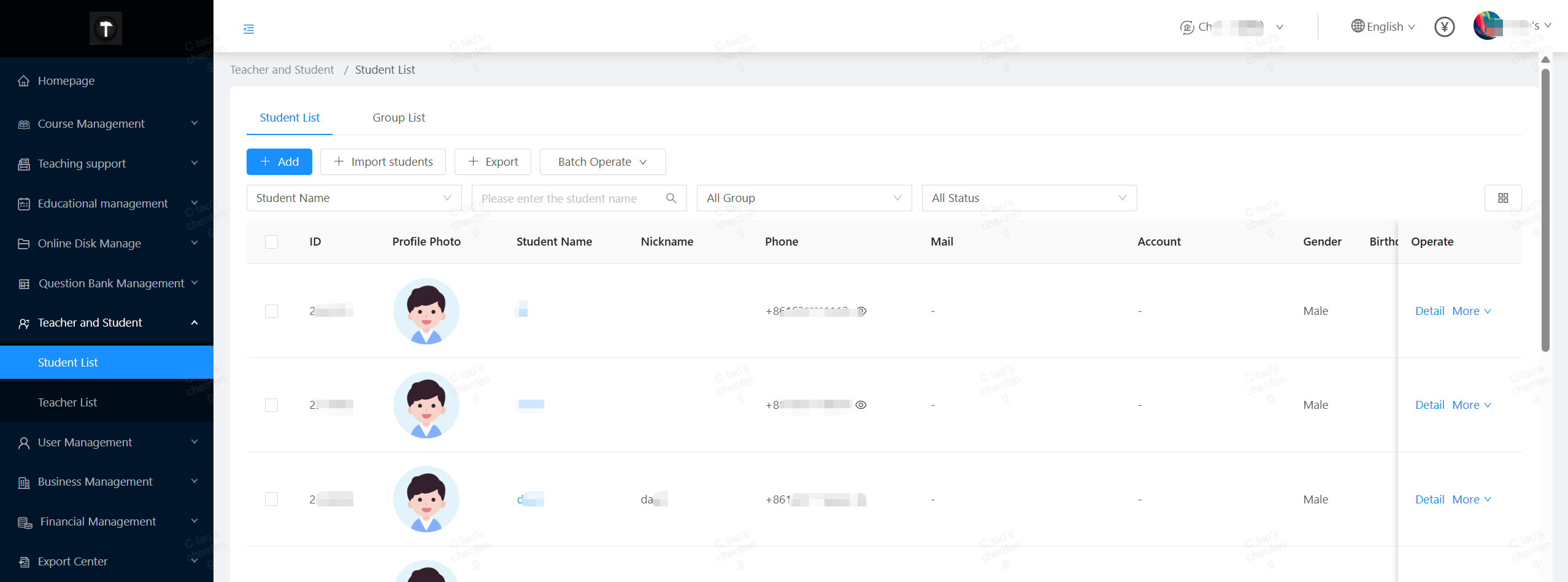
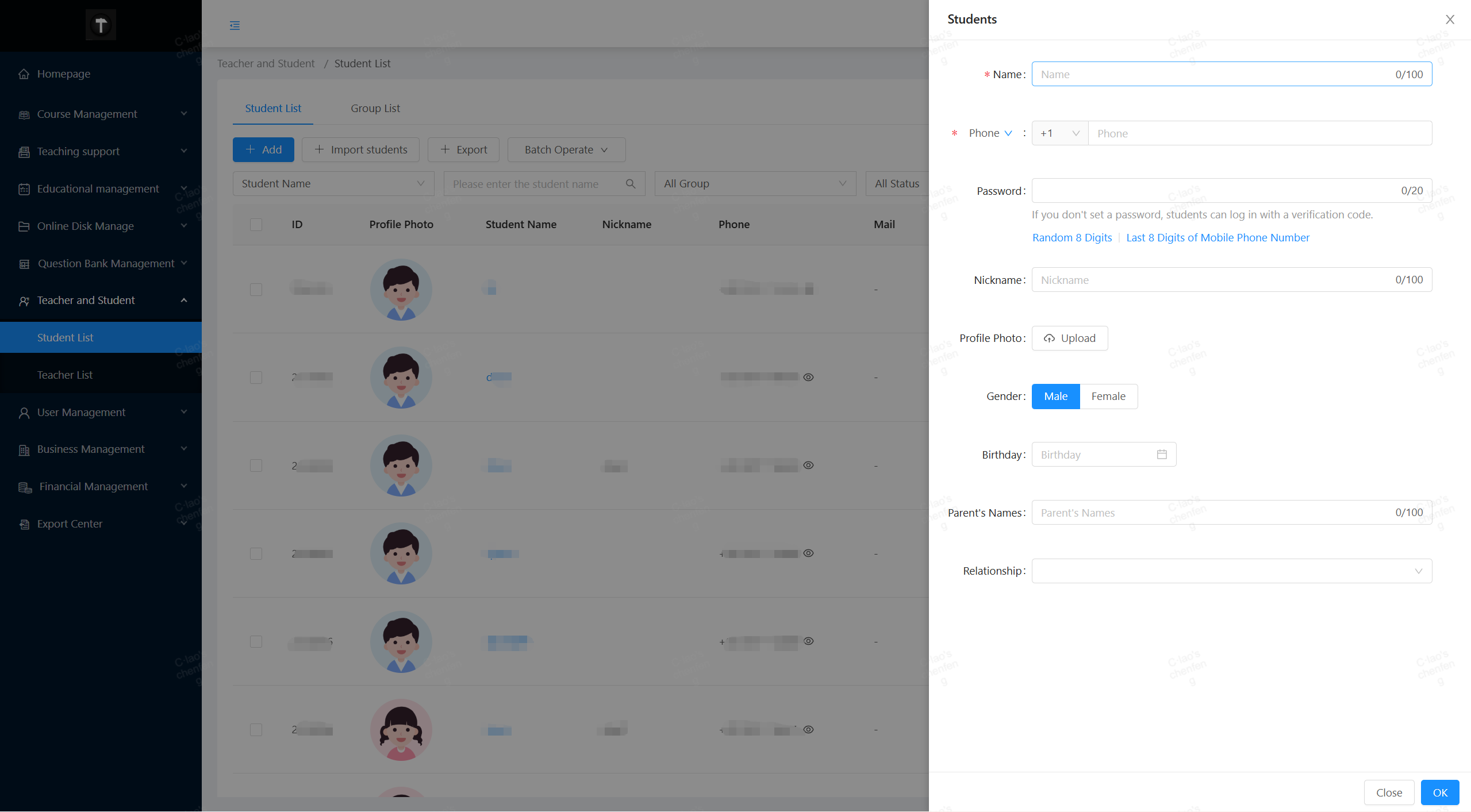
Single entry: Click the “Add” button to add specific information.
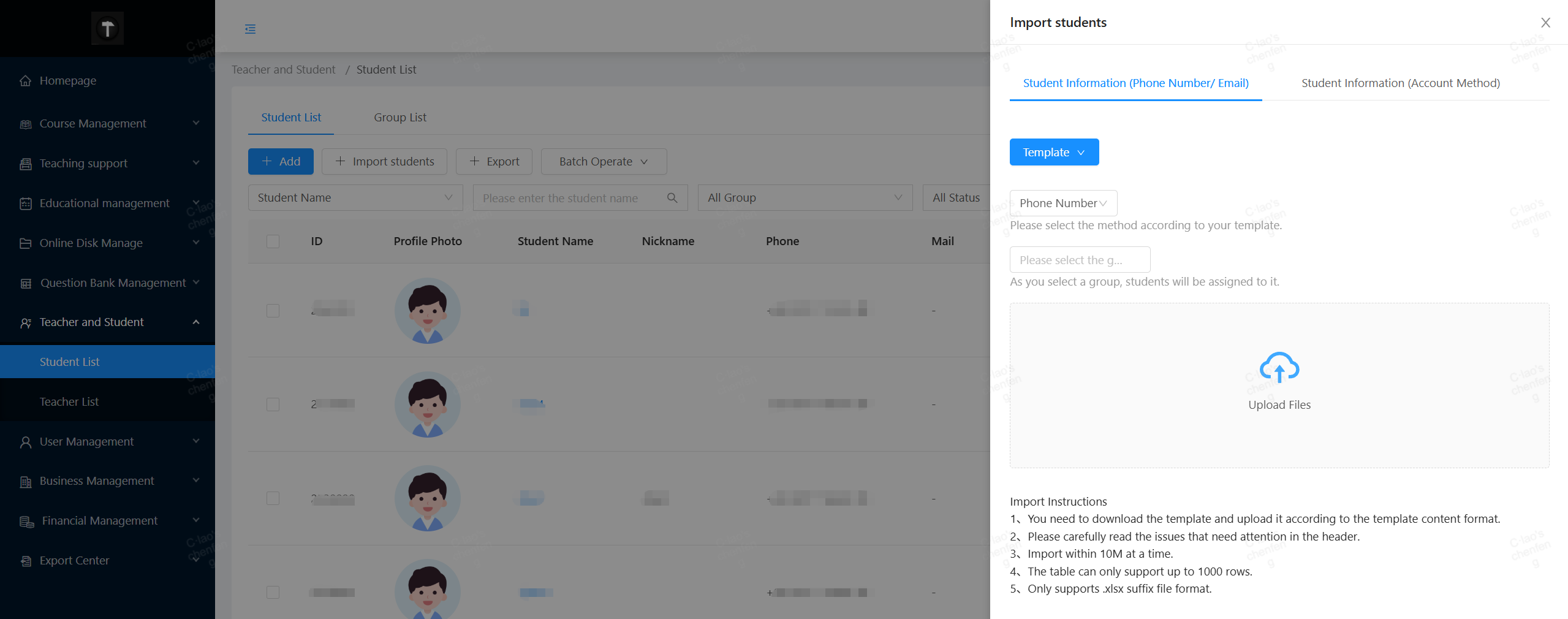
Batch import: Click the “Import Students” button and download the template first. Fill in the information according to the requirements and save the template. Then click “Upload File” and select the table to finish the batch import.