How to Create a "Classroom Template"
Enterprises can create multiple templates with different configuration attributes based on their own teaching characteristics for reference when creating courses.。
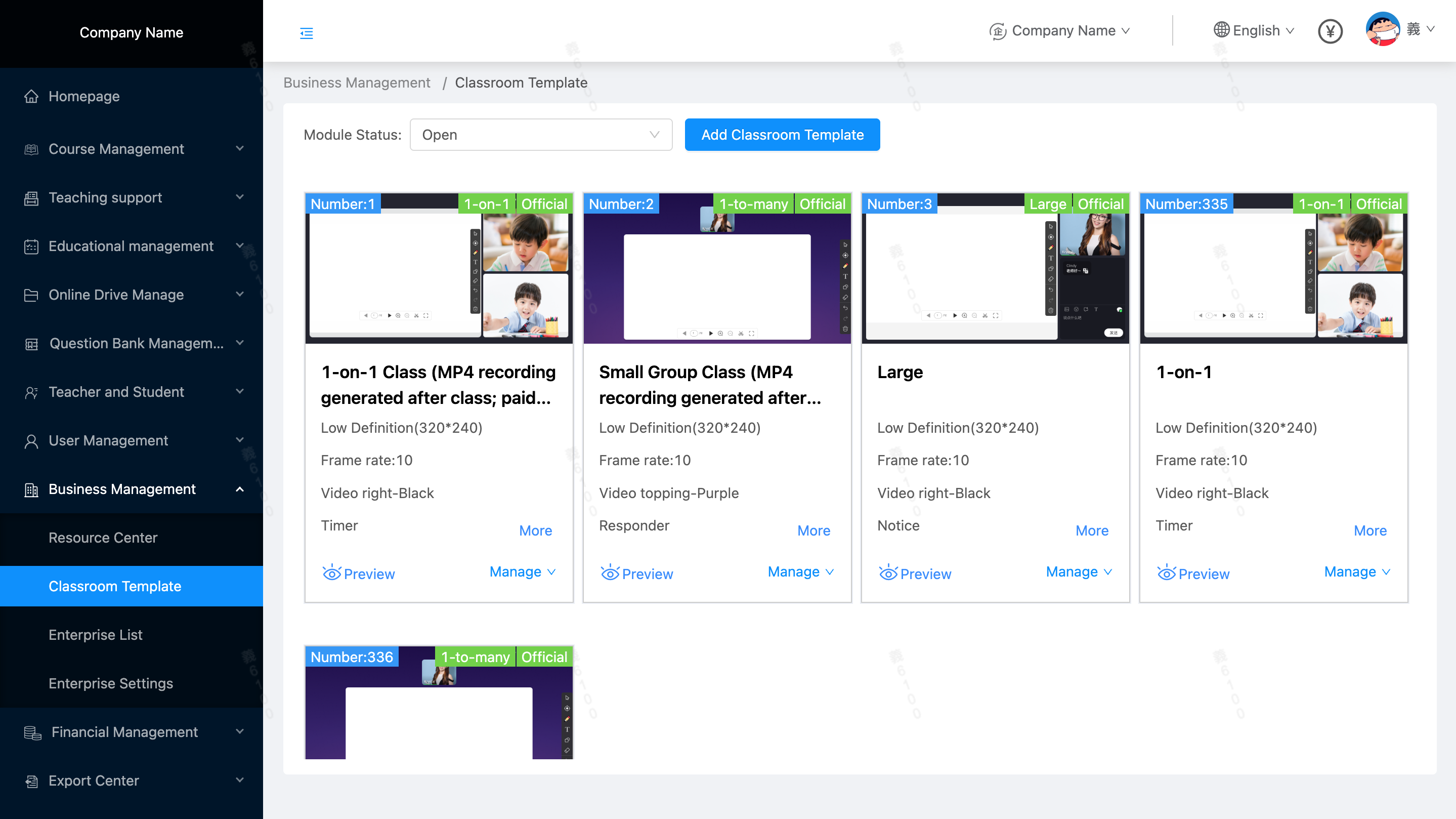
Location: Enterprise Management / Classroom Template, Create a New Classroom Template:
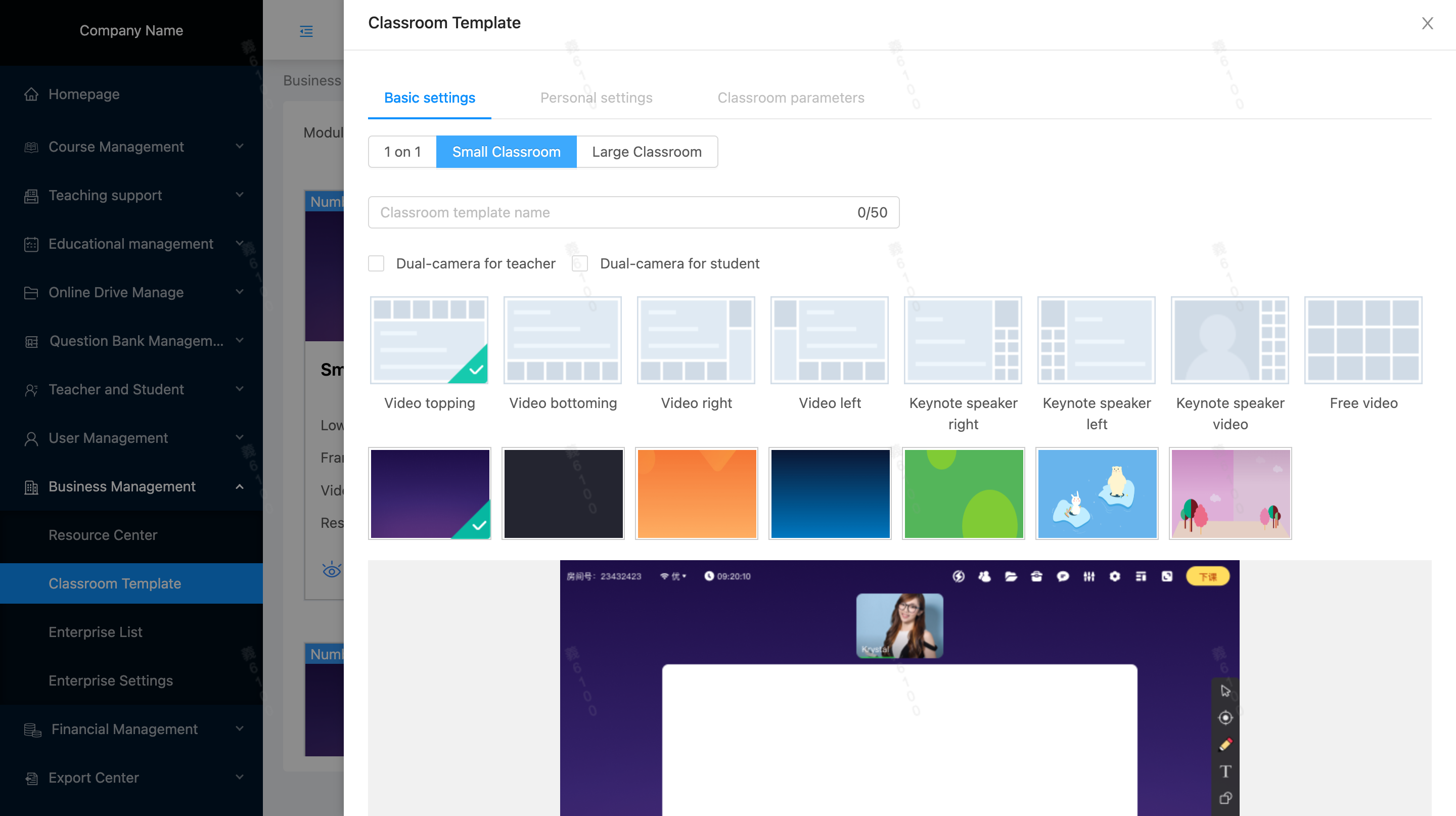
 1.Basic Settings: Classroom Type, Name, Dual Cameras, Layout, Theme Color
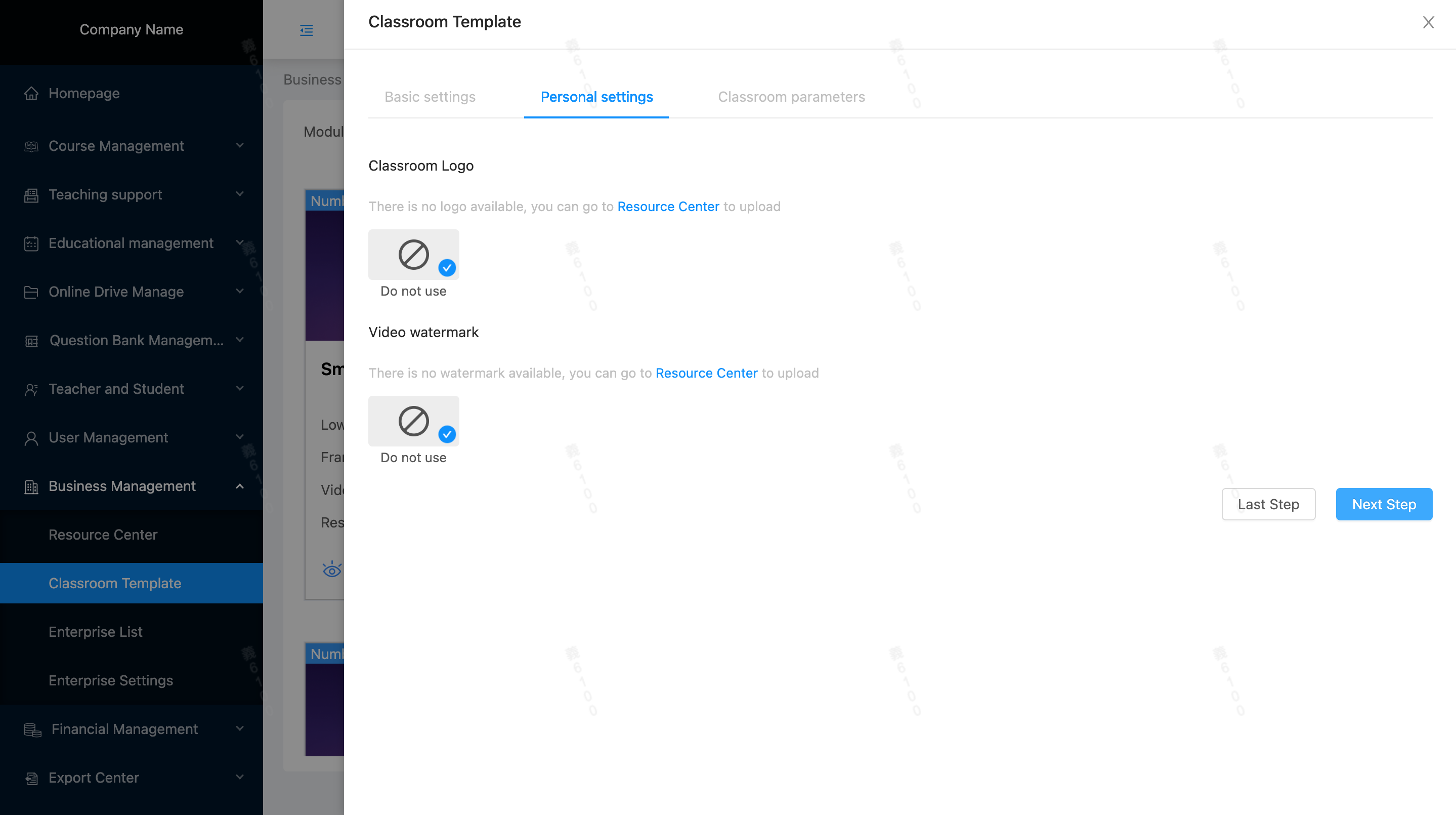
 2. Personalized Settings: Classroom LOGO, Video Watermark, Cover Settings (exclusive for large group courses, PC Cover, Mobile H5 Cover)
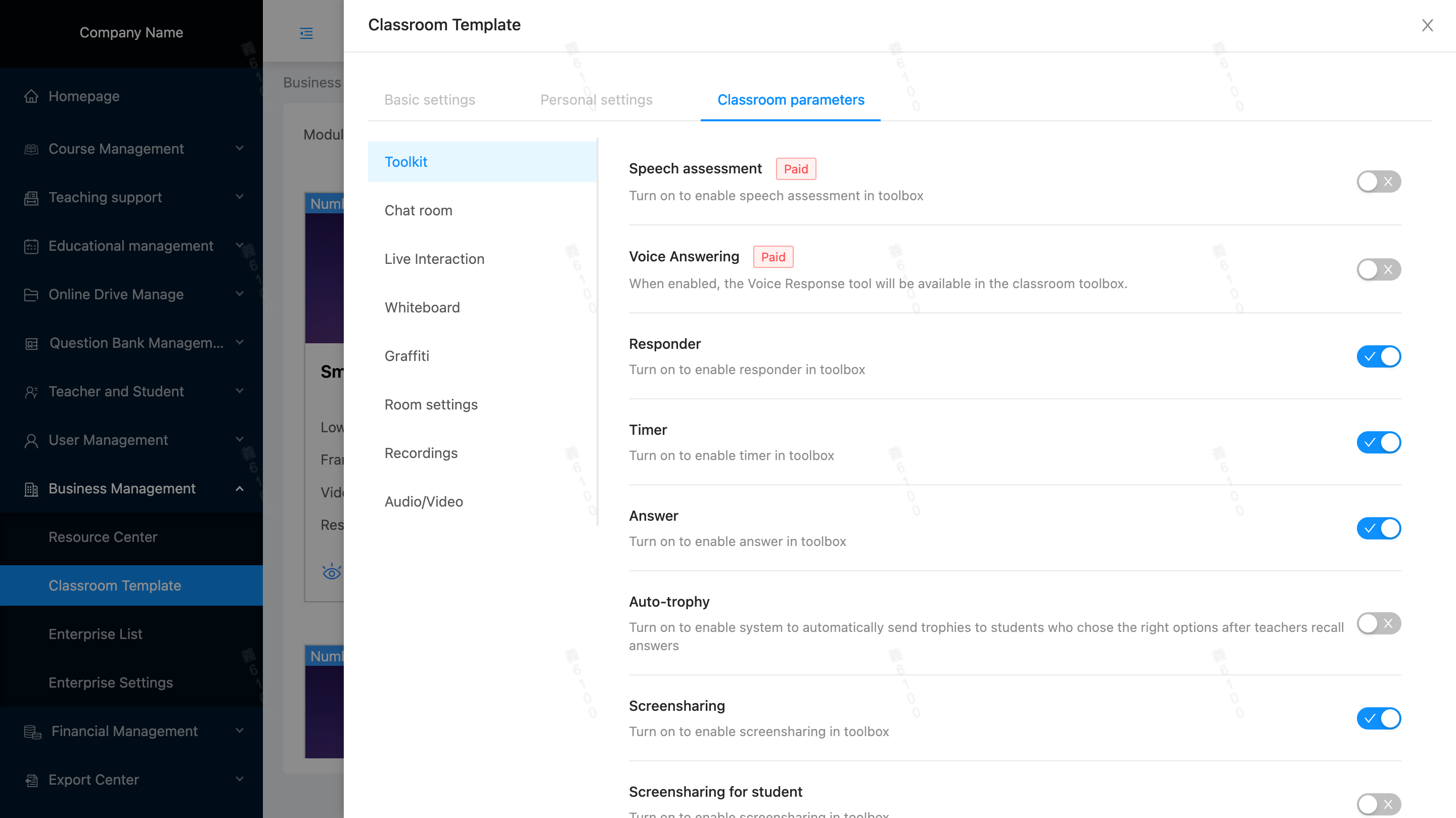
 3.Classroom Parameter Settings:
 4. Save.





