How to Create a "Live Course" (Create a New Course)
Location: Course Management / Course List, Create Live Course (1-on-1, One-to-Many, Large Group Course, Import Course)
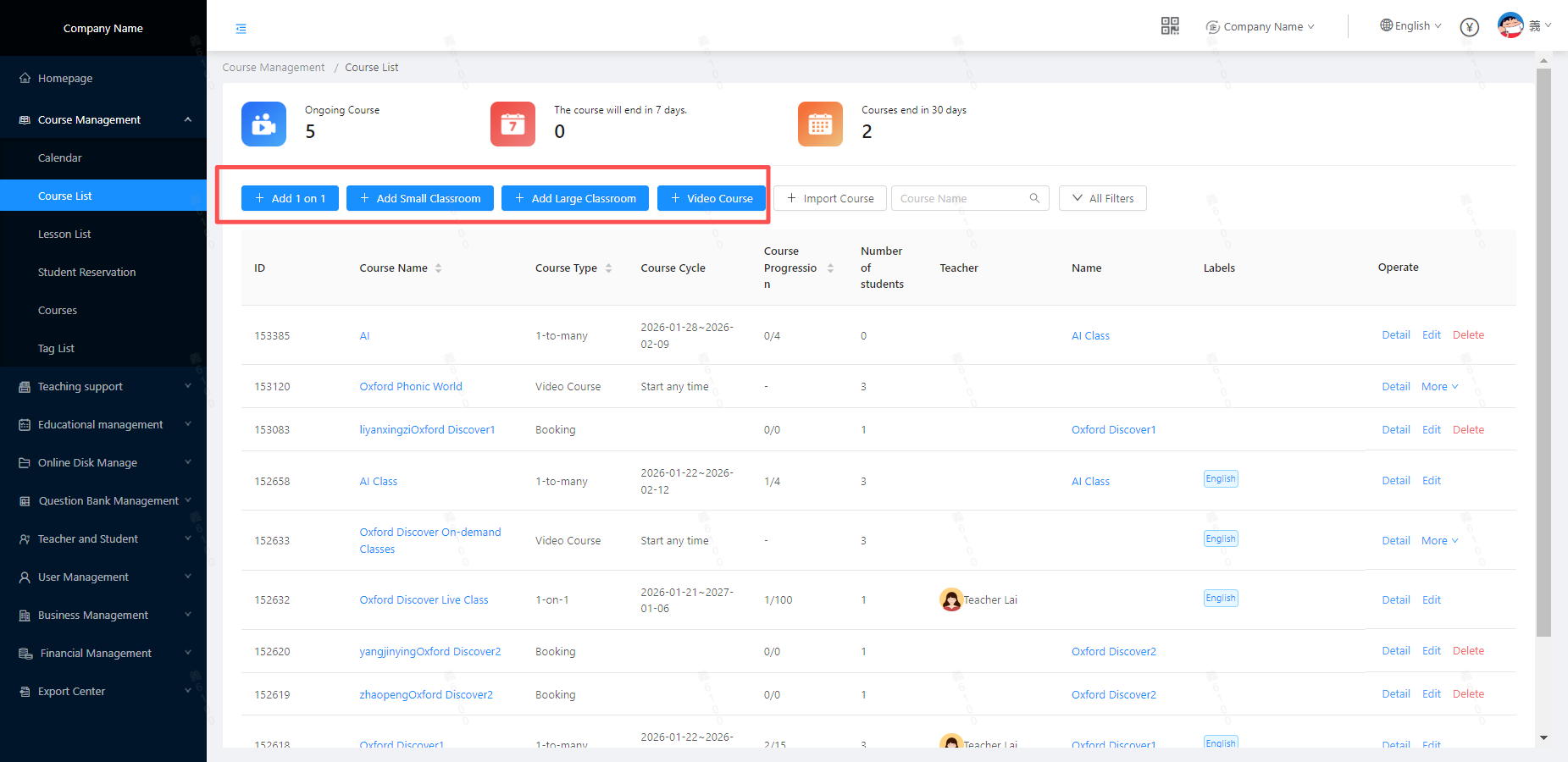 Take the Small Group Course as an example. The panel for creating a new course is shown in the figure below:
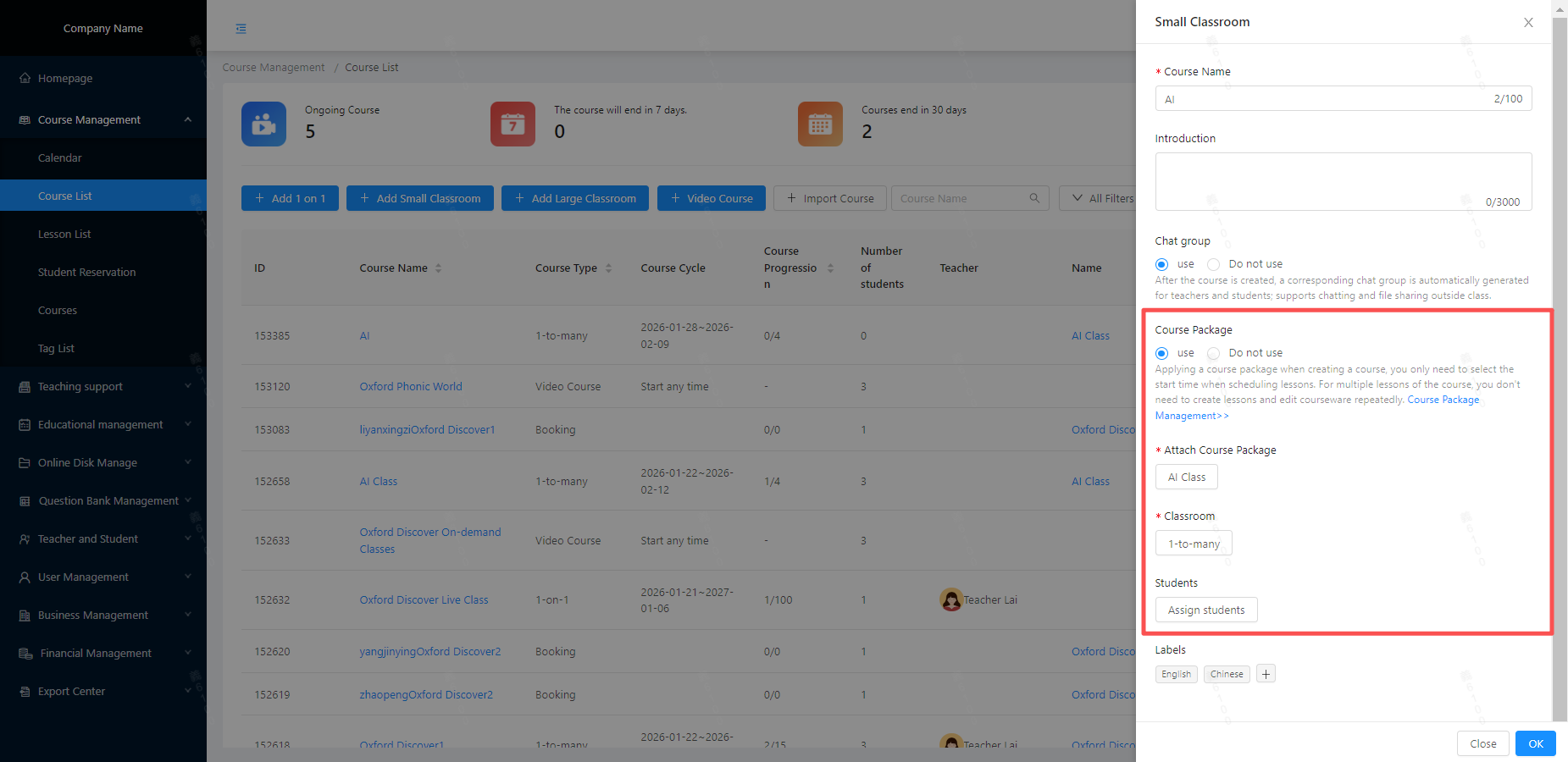 Course Package:
- Usage: Simply select the class time when scheduling courses; for multiple sessions of the same course, there is no need to repeatedly create classes or edit courseware.(How to Create a Course Package)
- Without Usage: Manually create lessons and upload or link the courseware for each class when scheduling courses.
- For specific differences, refer to: Creating a New Lesson for Live Courses
Classroom: Select the Classroom Template to be referenced for the current course.;(How to Create a Classroom Template)
Student:(How to Add Students)
- Courses using course packages: Only students who have purchased the current course package in Order Management can be selected, and the student lessons usage can be counted after the course. How to create an Order
- Courses Without Using Course Packages: All students under the institution are displayed for manual selection; classes can be conducted normally, but student lessons usage cannot be tracked after the class.
- The platform encourages institutions to bind students/course packages/lesson credit packages/course sales amounts via Order Management, which facilitates subsequent lessons management.
Tags: Once selected, multiple courses can be filtered by tags under Course Management.





