Import Course for Live Class
Enterprises can batch import course sessions via templates. (Note: Since batch sessions of different courses are being imported, it is necessary to first create the courses in the course system and obtain the course IDs; the session information in the template will be mapped to the corresponding course IDs to complete the batch creation of sessions under the relevant courses.)
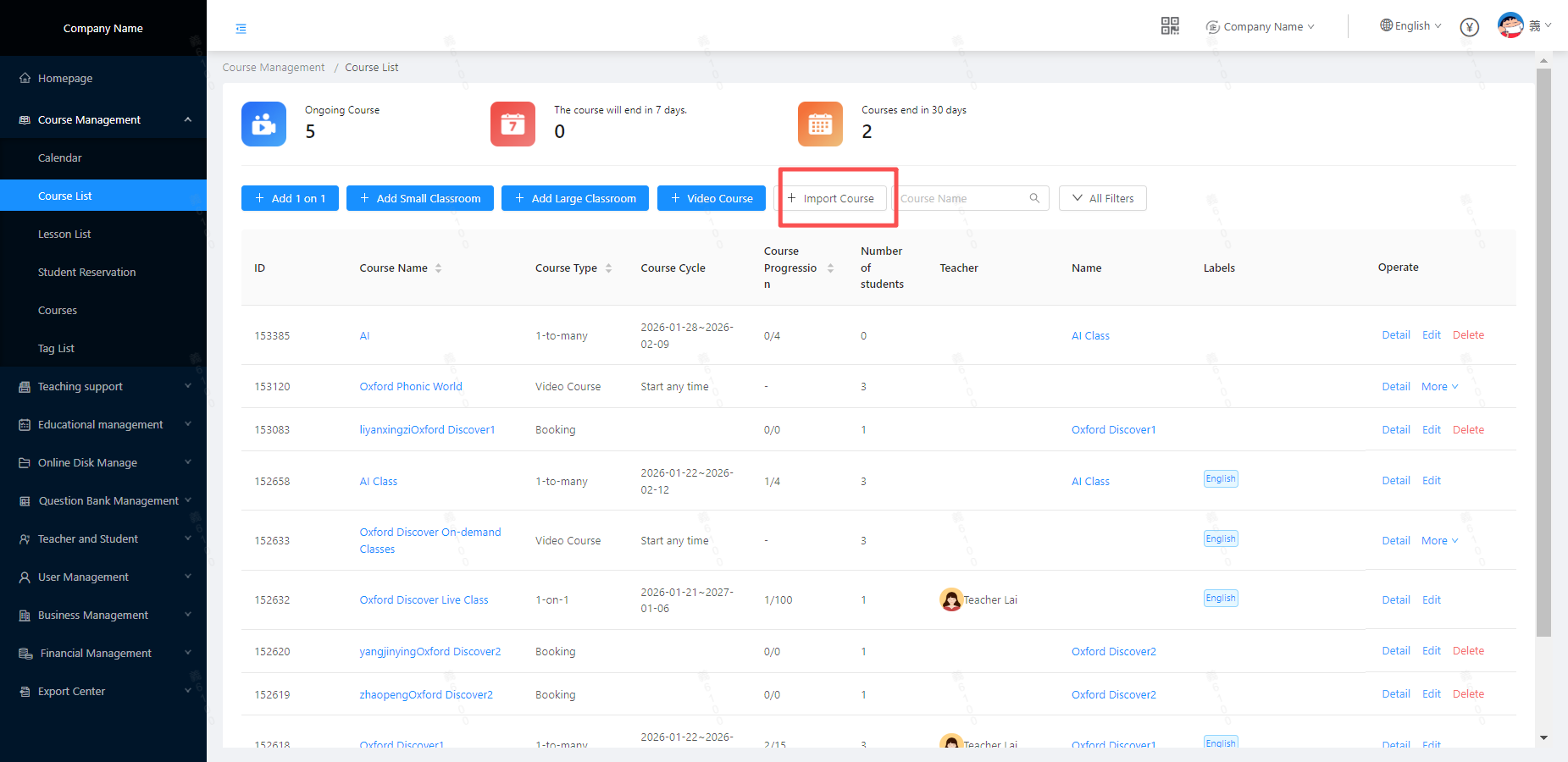
1.Click [Import Course]
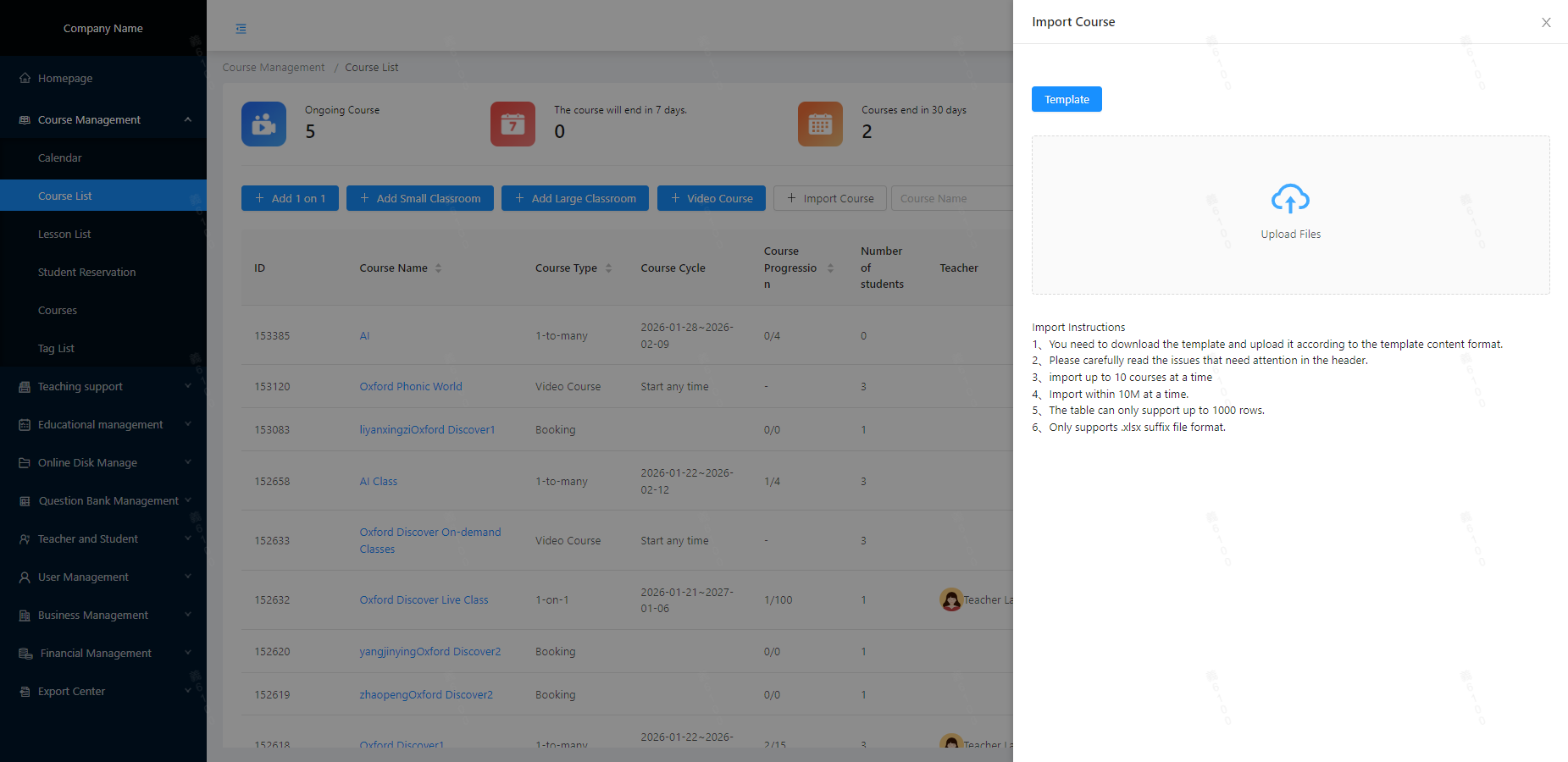
 2.Click [Template]
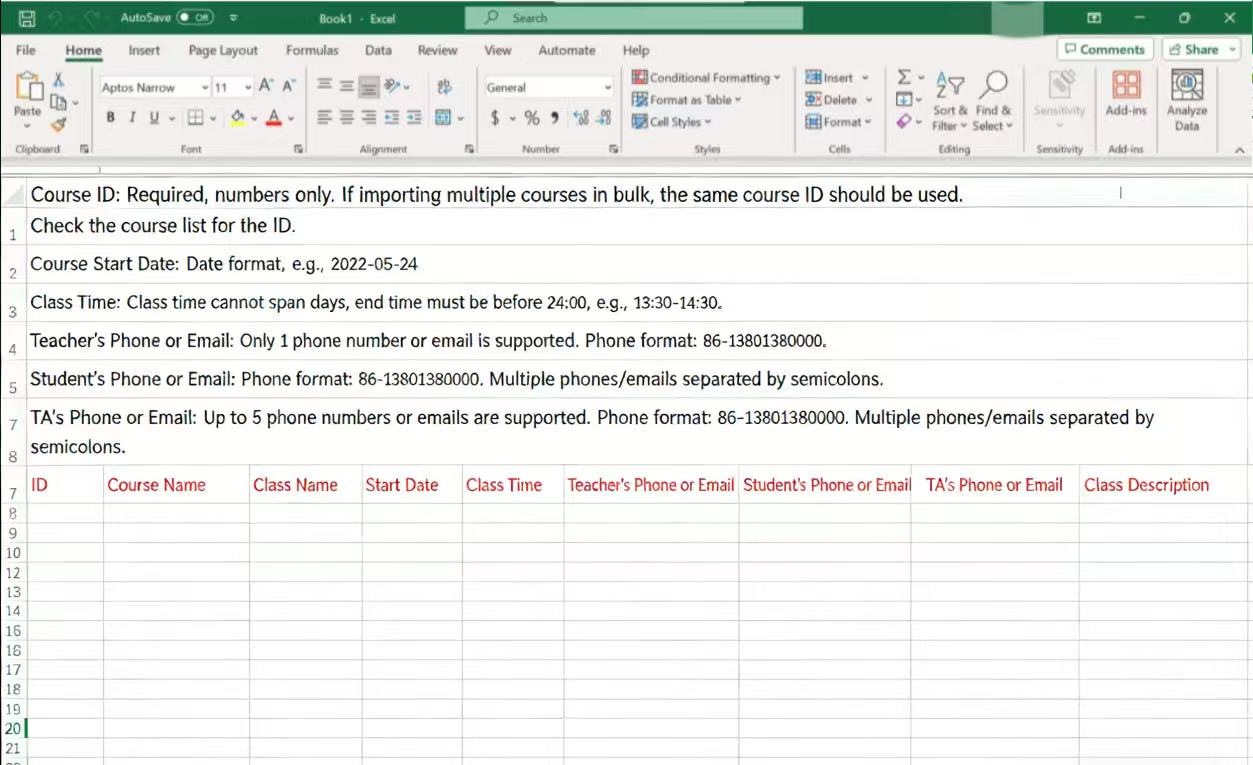
 3.Fill in the class session information carefully as required.
 4.On the import panel, click [Upload File], select the edited template, and submit it.





