How to Create an "AI Course"
- Create AI Materials(How to Create AI Materials)
- Create AI Course Packages(How to Create an AI Class Lesson)
- Add AI Class lessons to a course package as shown in the figure below:
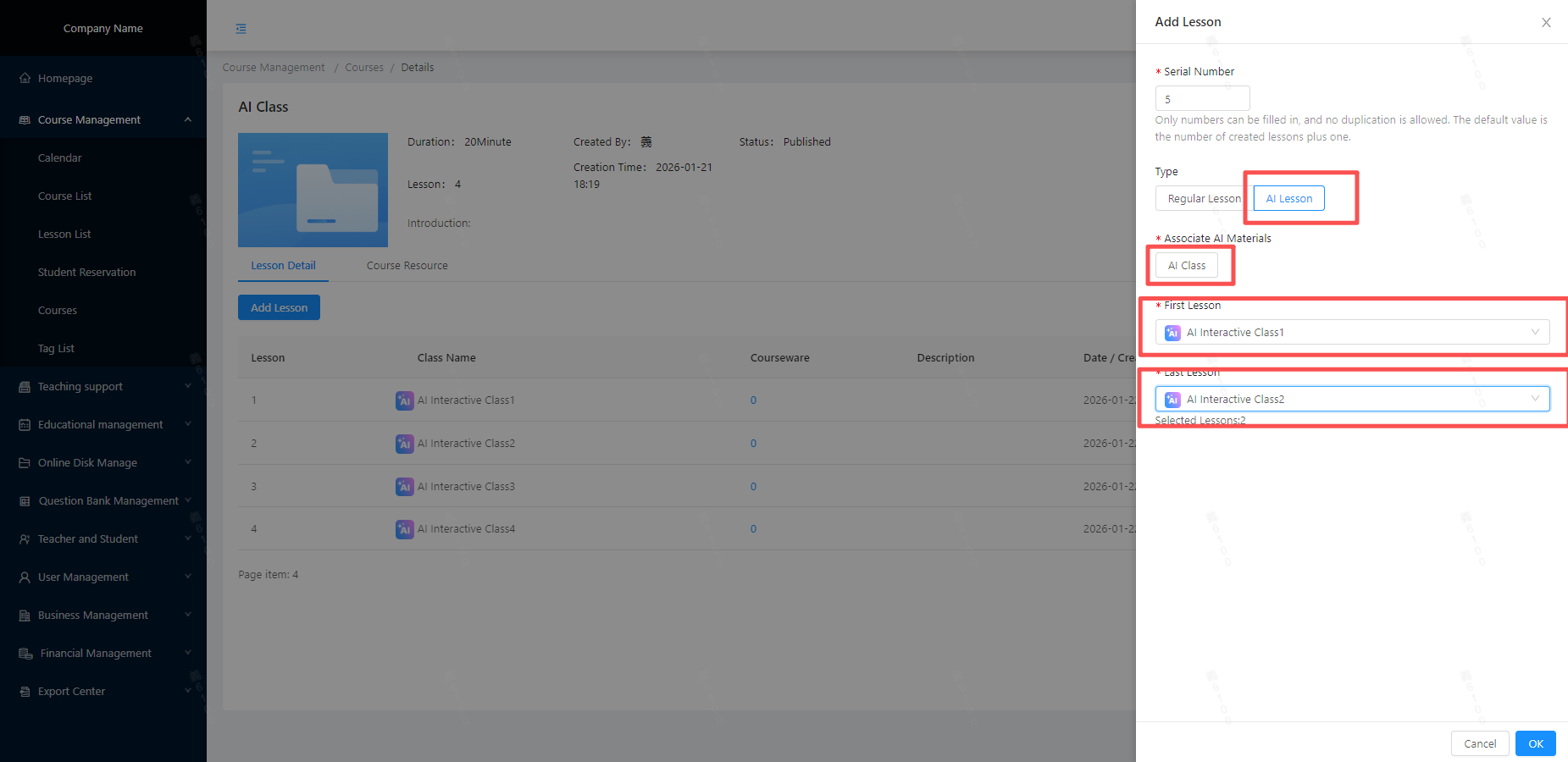
- Click [Create New Class Lesson]
- Select AI Class lesson as the type.
- Associate AI Materials
- Select the range of AI class lessons to create
- Once created, see the figure below.
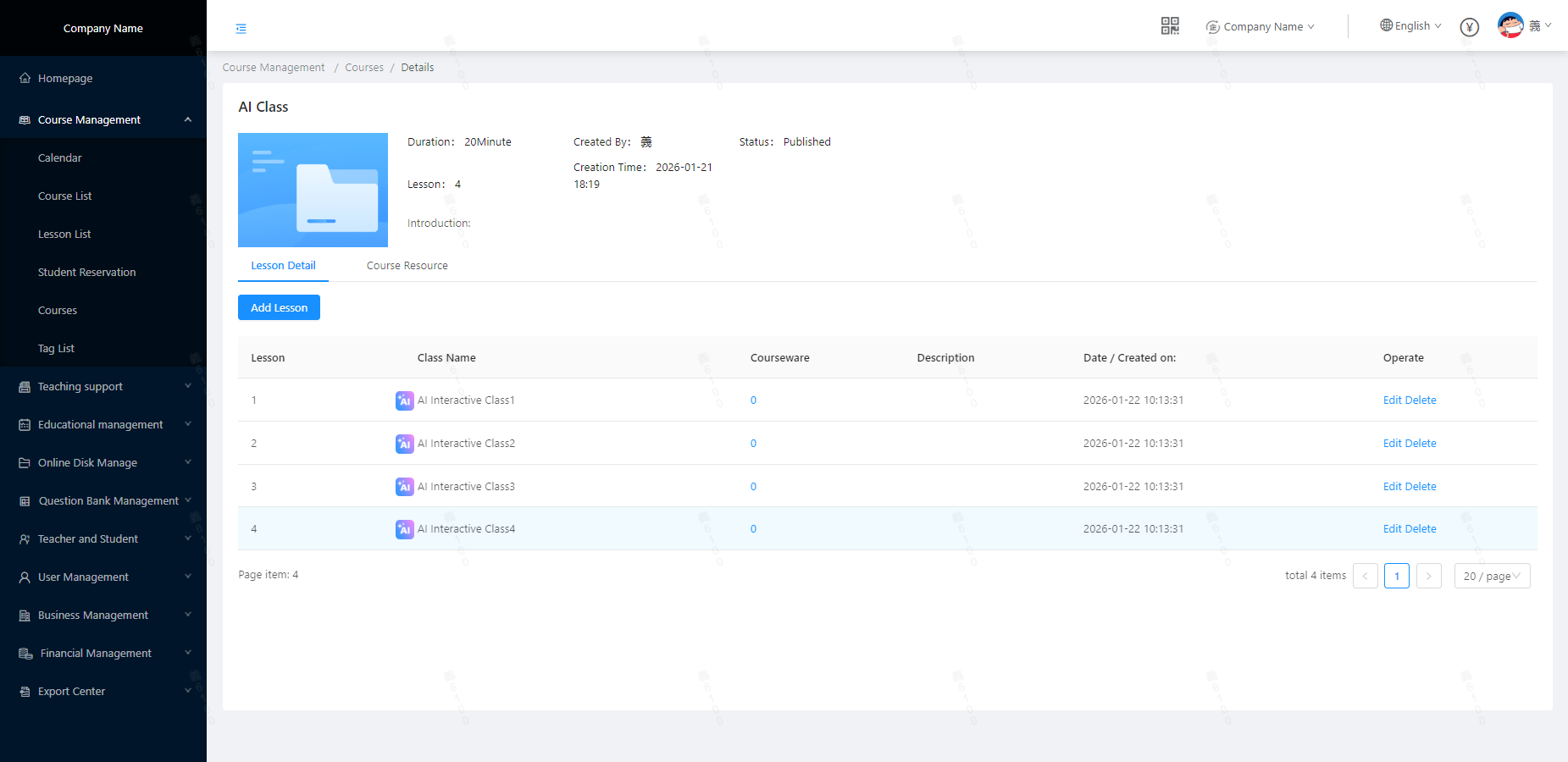 - Note: AI courses only support the scheduling service; the course booking service does not support AI courses for the time being (if the bound course package contains AI courses, the system will automatically filter out AI class lessons during the binding process).
- Creating AI Class lessons for Non-Course-Package Courses:
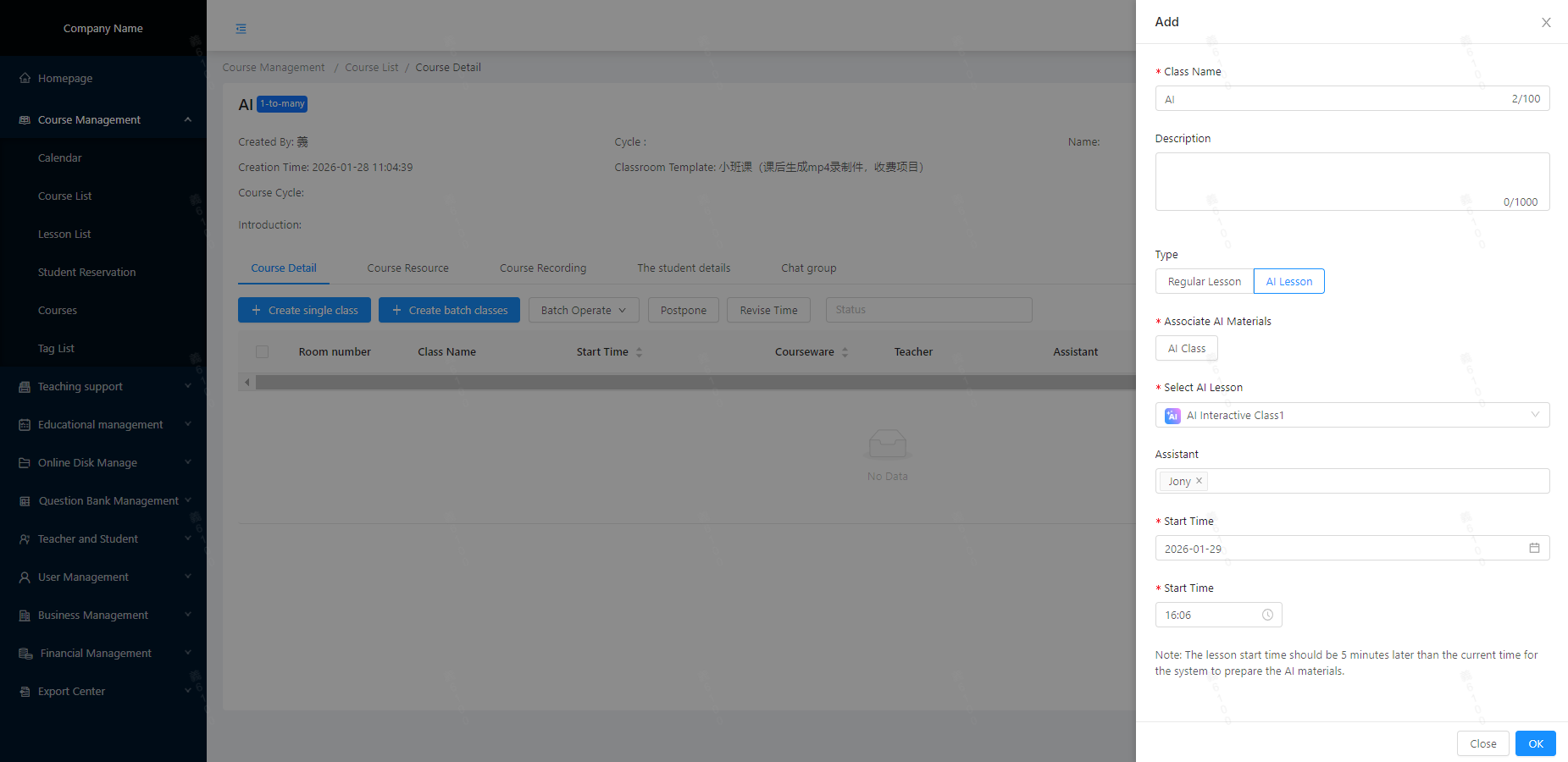
- As shown in the figure, for non-course-package courses, to create an AI class lesson, simply select AI Class lesson as the type.
- Associate the target AI material library and select the target class lesson (for batch creation, select the start and end range of class lessons).
- No need to assign a teacher for an AI class lesson; just select the class time.
- Creating AI Class lessons for Course-Package Courses:
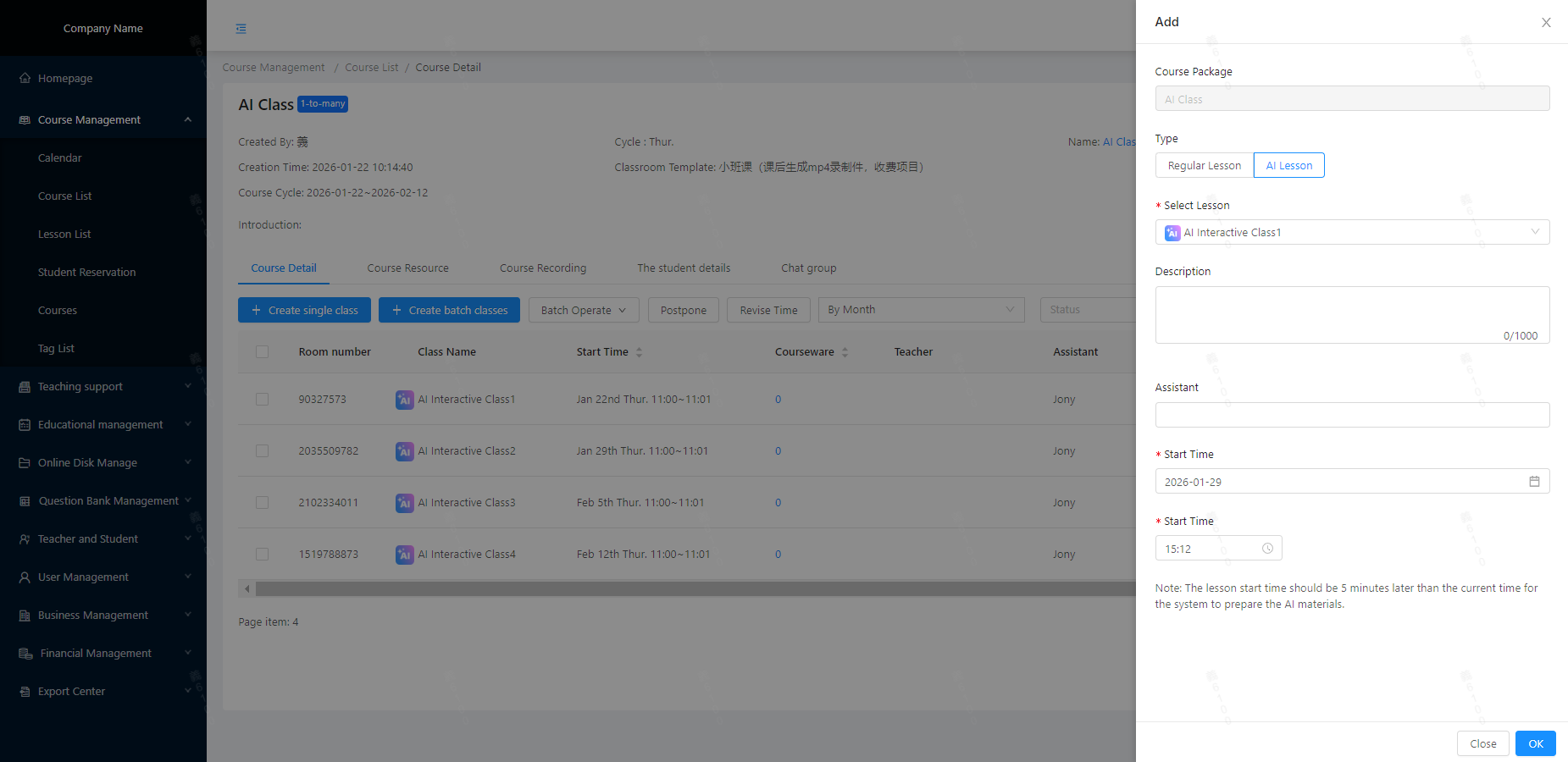
- As shown in the figure, when creating an AI class lesson for a course-package course, there is no need to select the course package again here since it has already been associated with the course package during course creation.
- To create an AI class lesson, directly select the AI Class lesson tab and choose AI Class lesson (for batch creation, select the start and end range of class lessons).
- No need to assign a teacher for an AI class lesson; simply select the class time.





