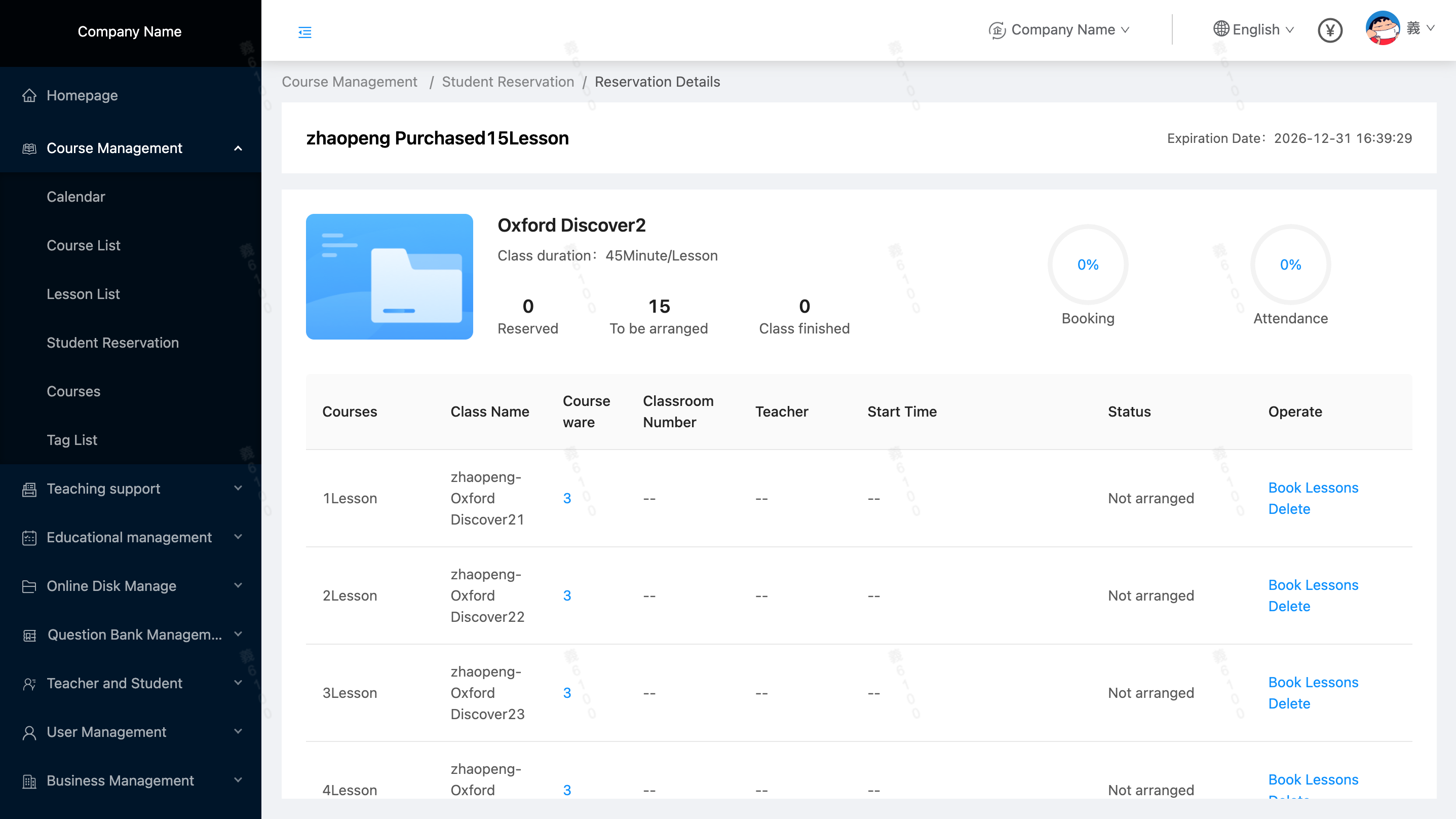
How to create a "Book Class"
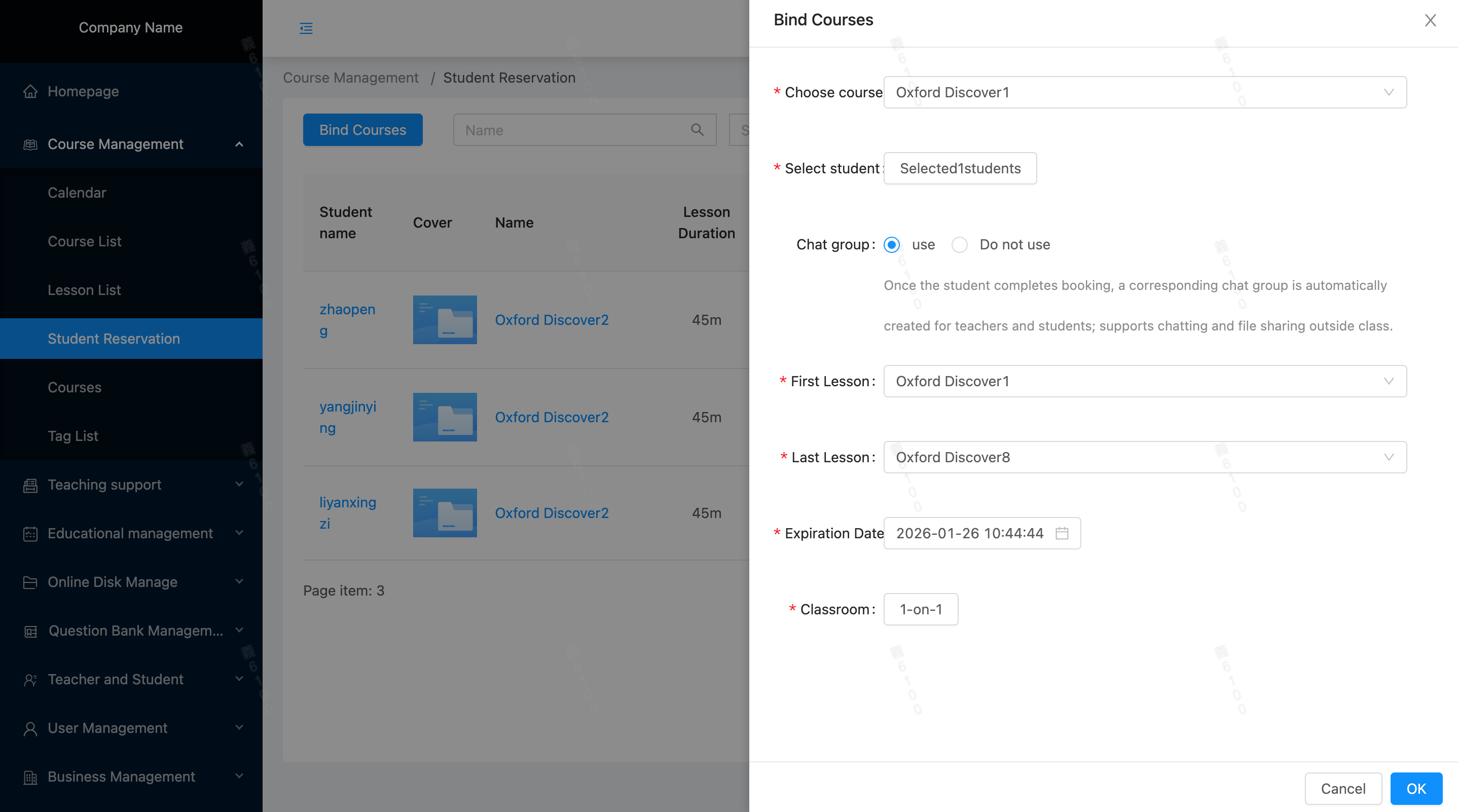
Location: Course Management/Student Reservation, Binding Course Package
- Select a course package (How to create a course package)
- Select students who will purchase the current course package(create an order for the student)
- Bind the class range of the lessons
- Set a deadline for booking classes. After the deadline, you will not be able to make reservations even if you have classes that have not been booked.
- Select a classroom template(How to create a classroom template)
Binding course package:
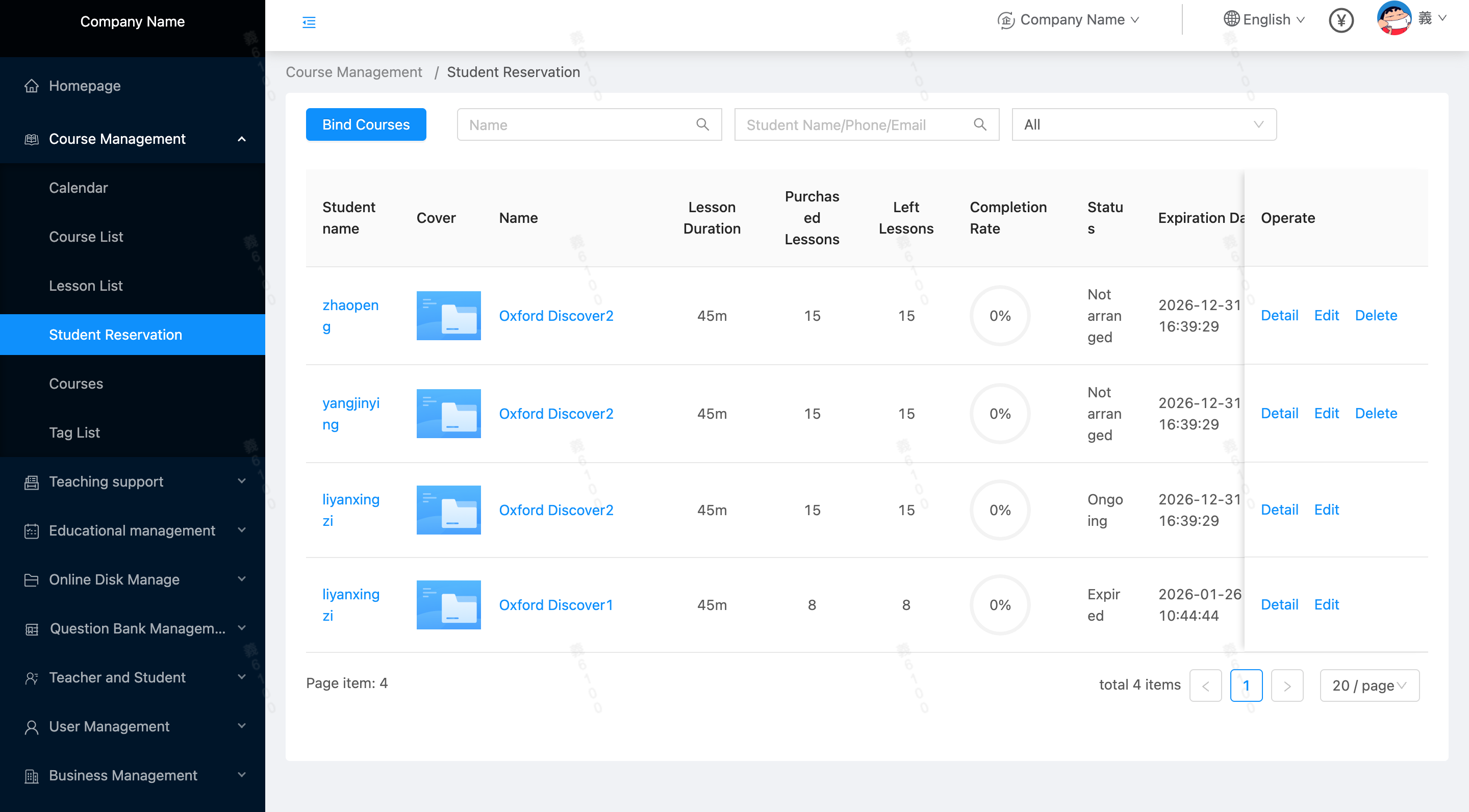
 Binding completed: You can view the detailed information of the student's reservation (course package, course duration, completion rate, status, validity period)
 Course reservation details: