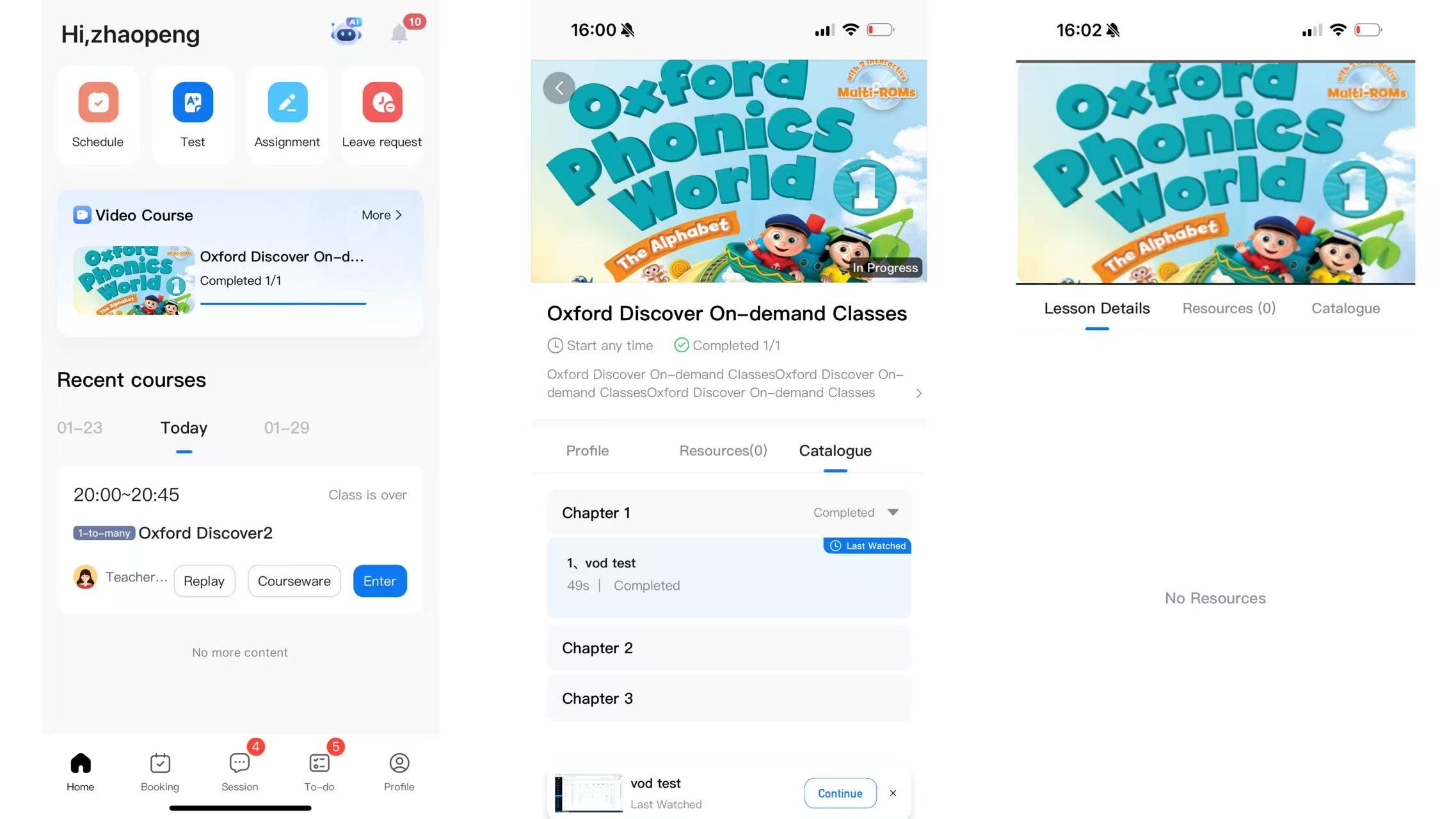
How to watch "on-demand lessons" (video course)
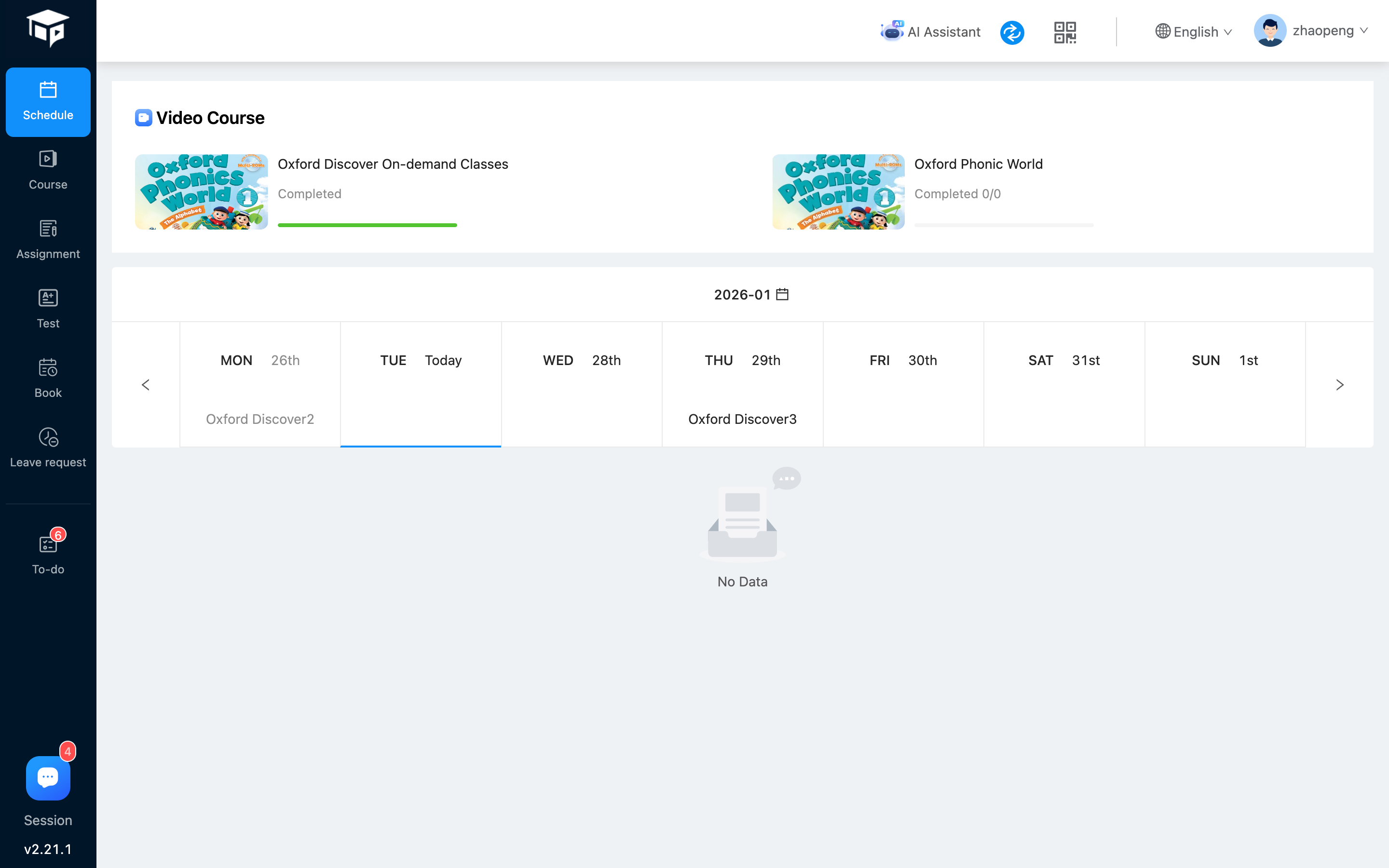 If the current student has video courses that have not yet started or are currently starting, they will be displayed in the red box (above);
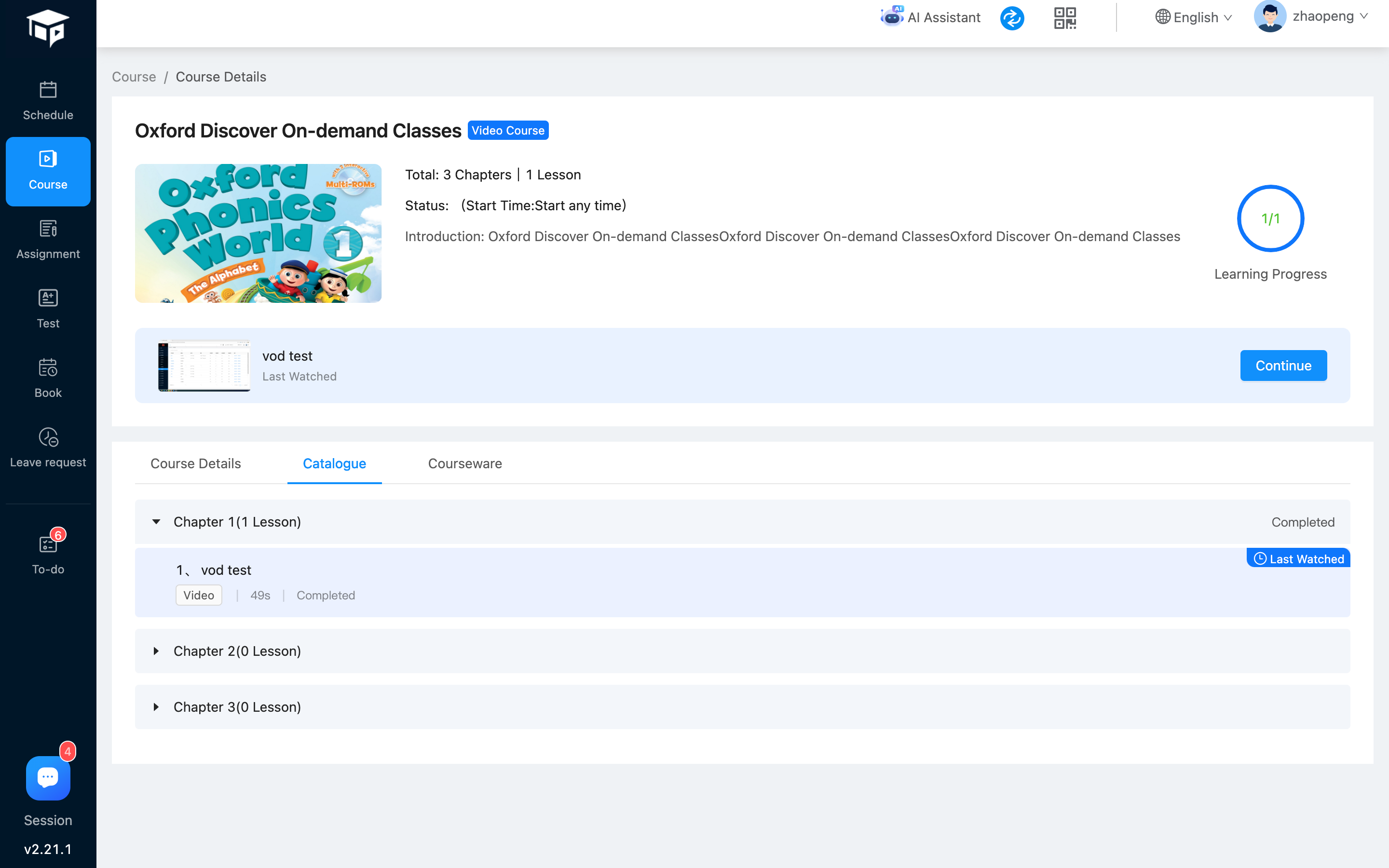
Click on the corresponding video course to enter the course details, see the figure below:
If the current student has video courses that have not yet started or are currently starting, they will be displayed in the red box (above);
Click on the corresponding video course to enter the course details, see the figure below:
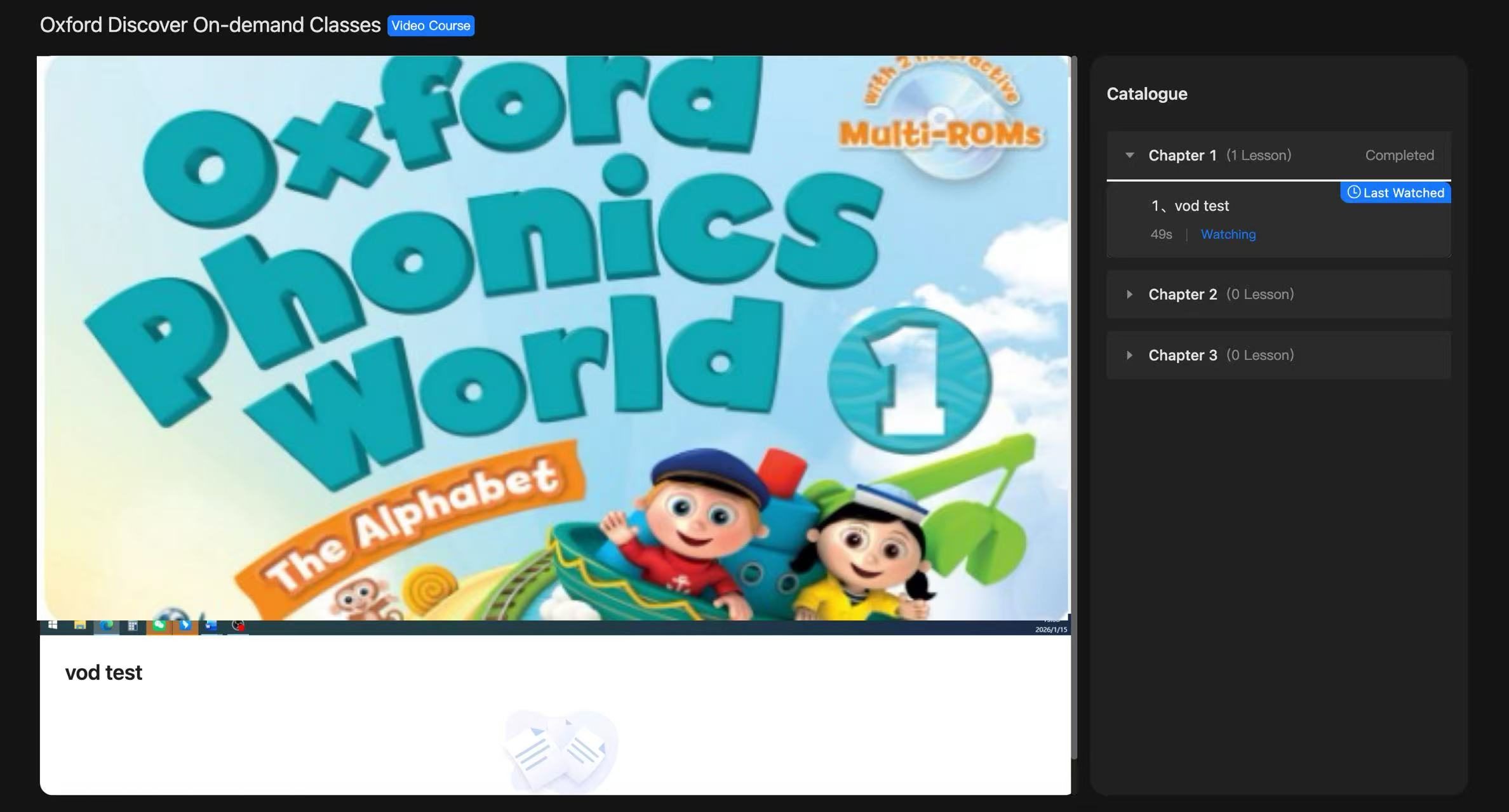
 Click [Continue Learning] or [Section Name] to enter the video playback page (see the figure below)
 App-side students watch, see the figure below