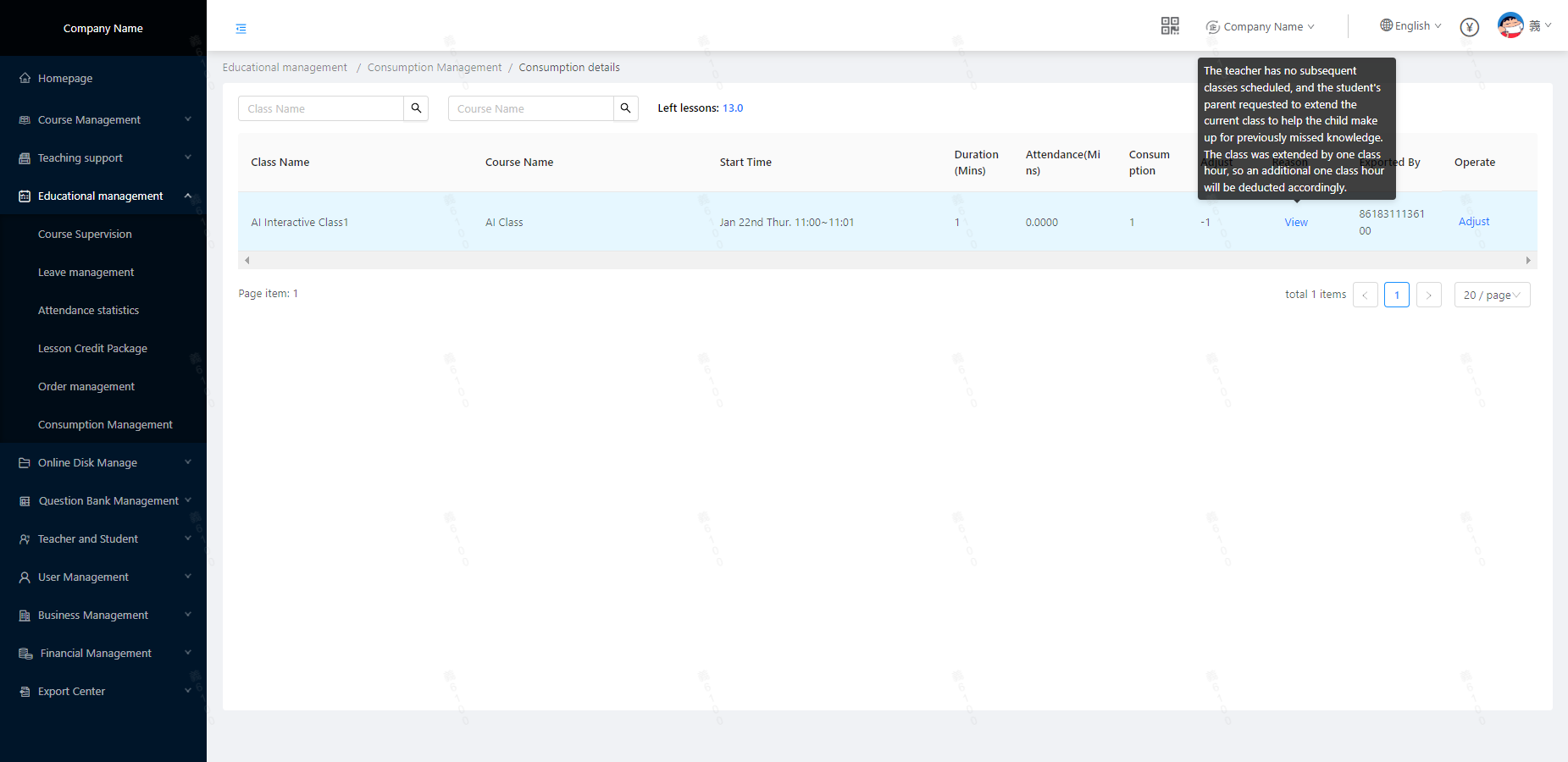
How to adjust“student lesson (hours)”
Scenario:Due to student absence, delayed class, teacher lateness or accidental absence; after the scheduled class time ends, the system will still automatically deduct the corresponding lessons (hours). Based on the above special scenarios, the institution needs to adjust the student's remaining lesson (hours) account; the specific operations and examples are as follows:
Location:Educational Management/Consumption Management
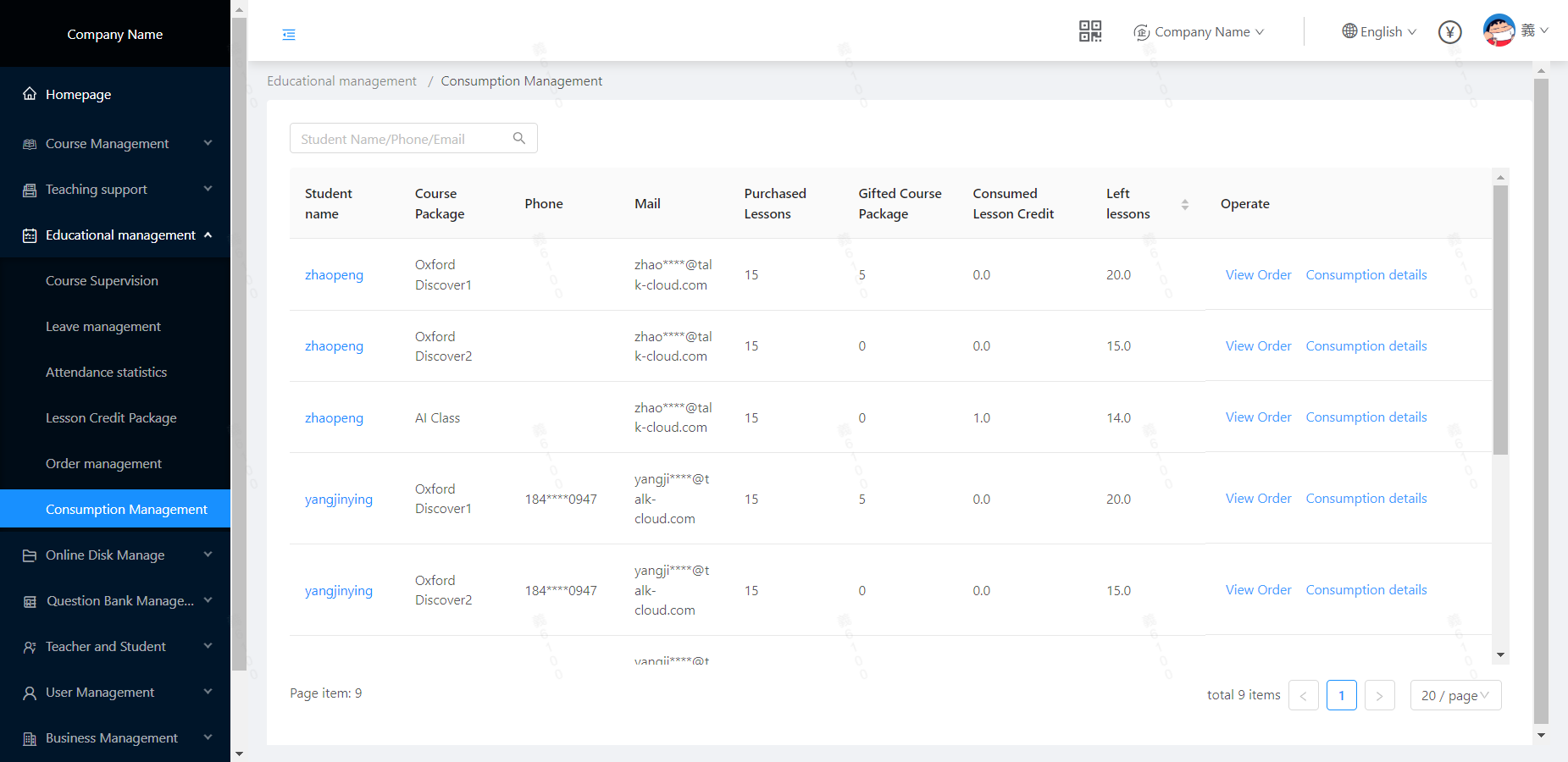 Target students, click [Consumption Details]
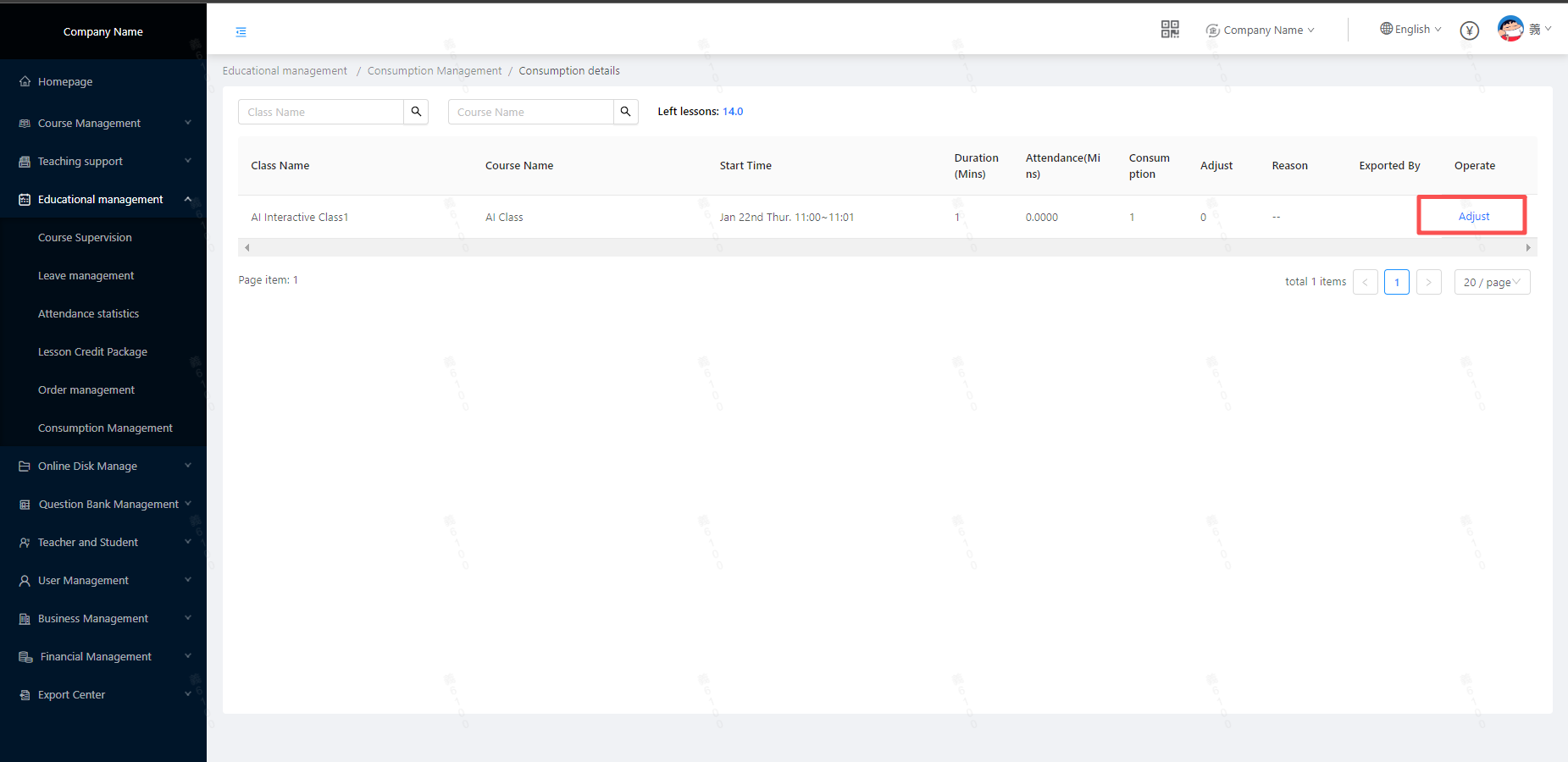 And click [Adjust]
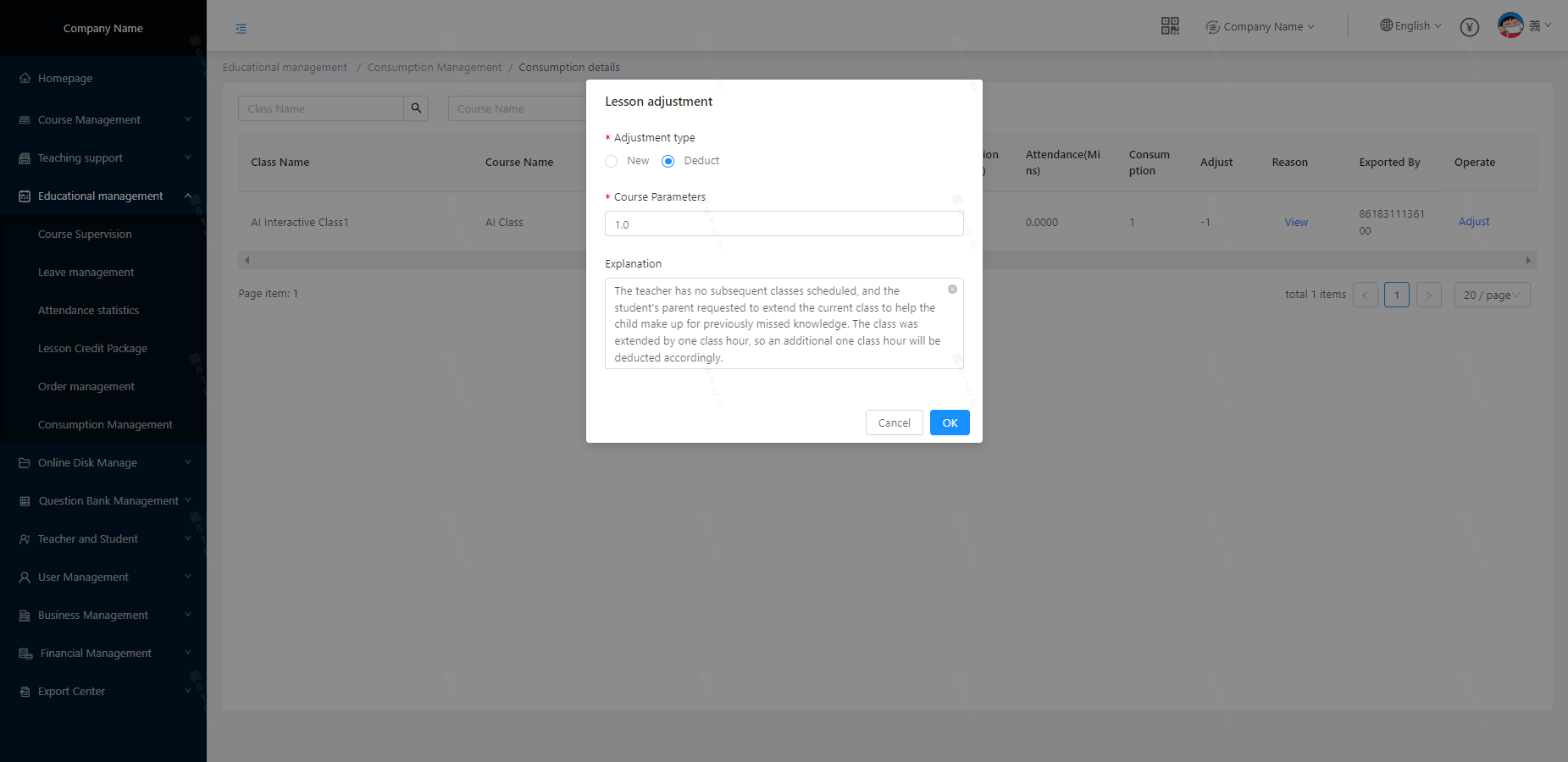 To save as follows: (The lesson time adjustment can be checked by students from the CoursePod App)