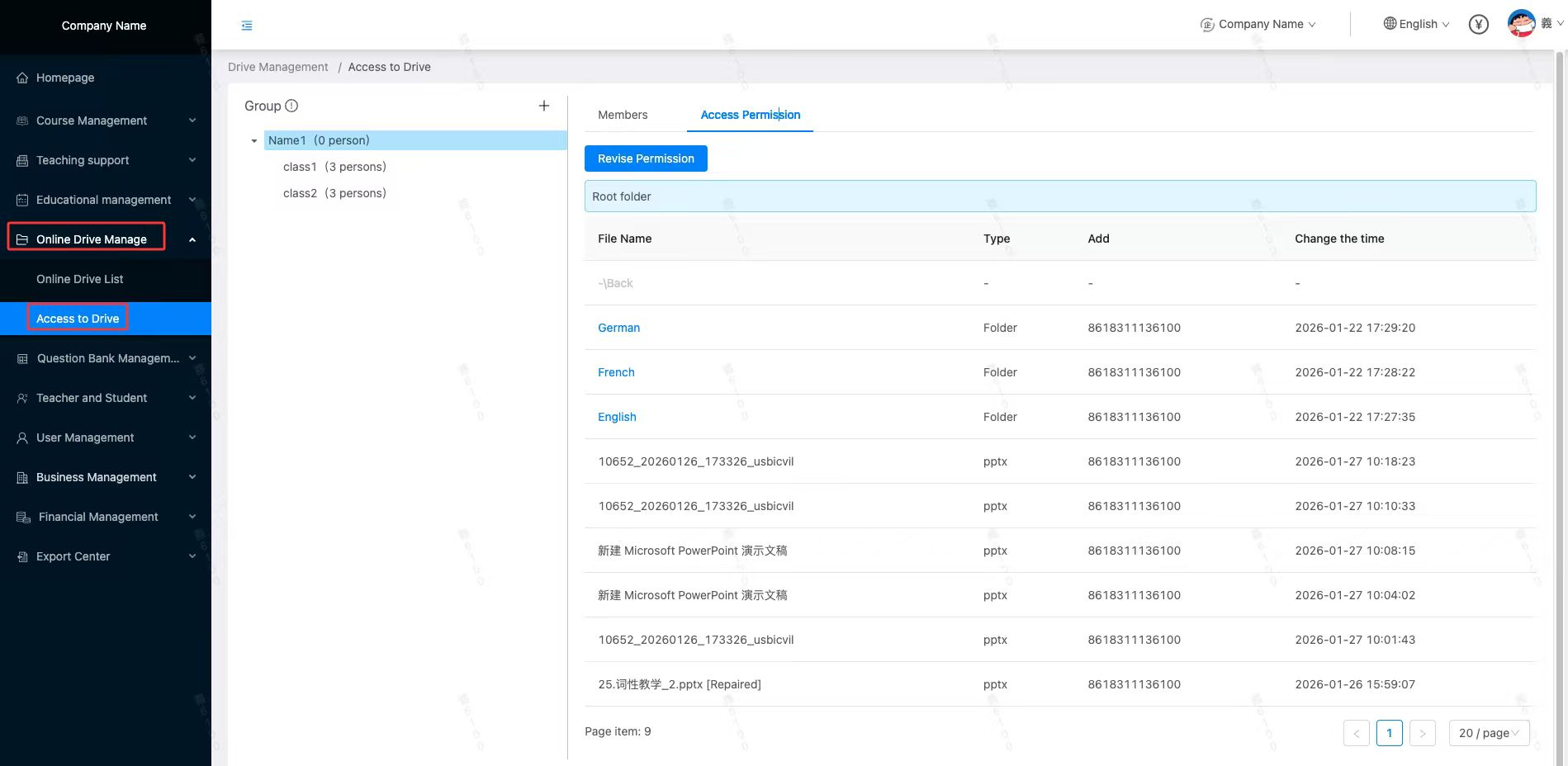
How to perform“Online Drive Authorization”
Online Drive data is an enterprise's data asset. Different course materials (courseware) are provided to different teachers. To prevent Online Drive data leaks, each course has a separate "Online Drive Authorization" feature. Enterprises can grant different teachers access to different Online Drive directories, thus protecting enterprise data assets.
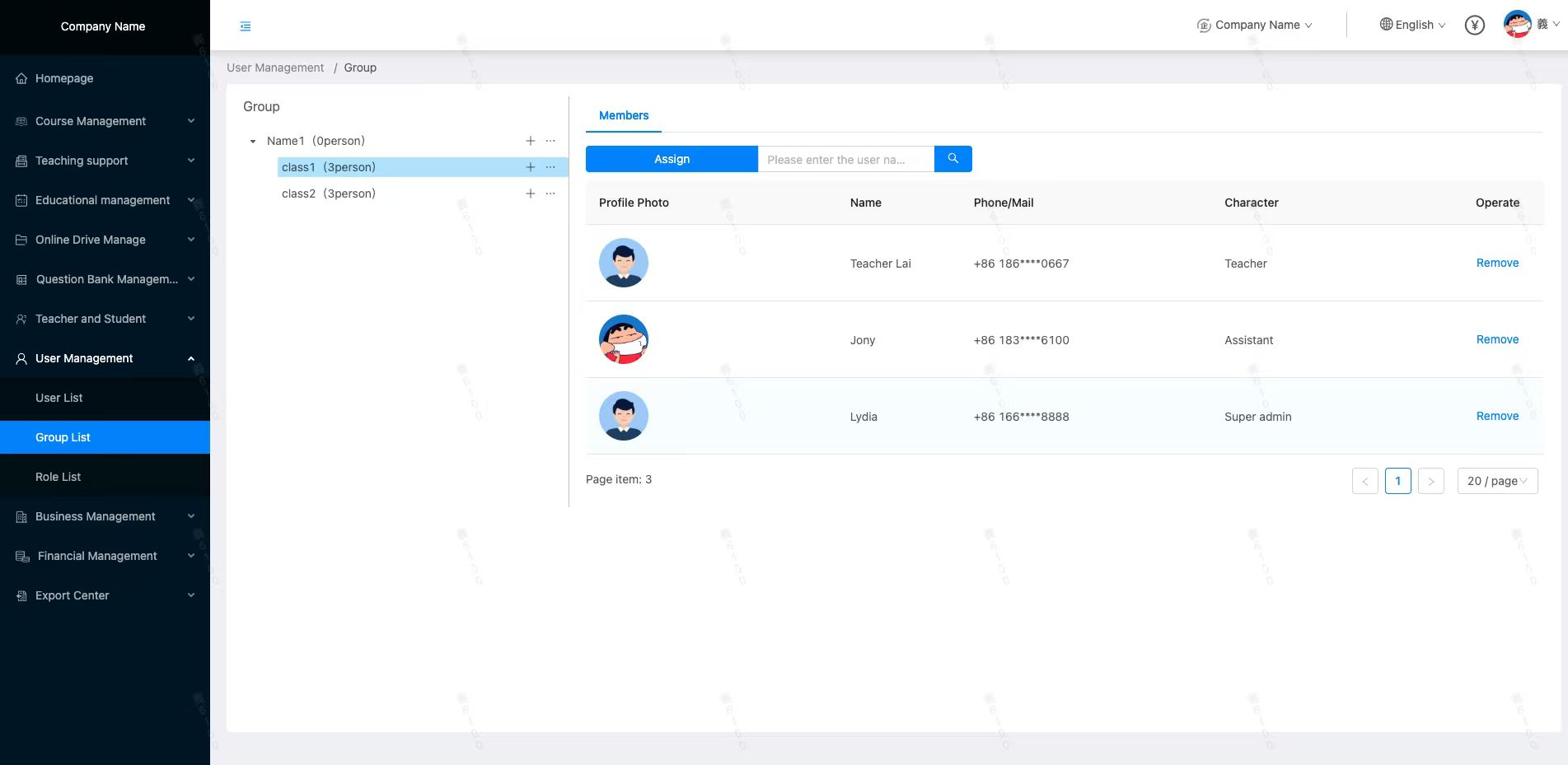
1.User grouping: Create a new user group and assign the designated teacher to the corresponding group.
2.Online Drive authorization: Select the target user group, click [Revise Permission], check the target directory and save it. When teachers in the group view the enterprise Online Drive, they will only see the courseware in the authorized directory.