Paper(Test paper) creation
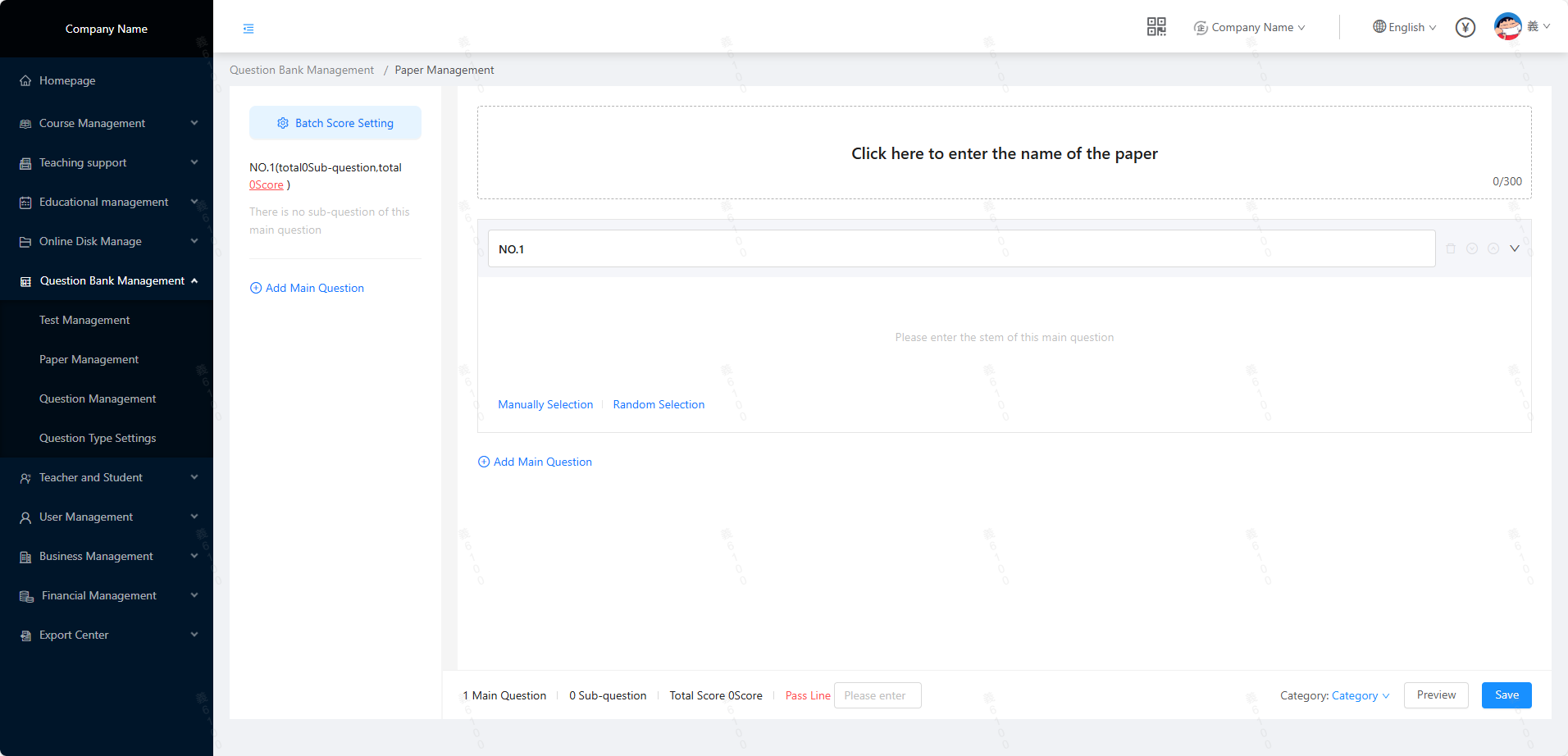 1. Taking "Create a New Paper" as an example, the details of each part are explained:
- First question: The main question of the paper, which is the name of the entire part of the test question (for example, the name of the question type such as true/false question, multiple-choice question; the name can also be customized according to business needs)
- Manual question selection: Based on the filtering conditions, "manually select" the test questions to be referenced and
1. Taking "Create a New Paper" as an example, the details of each part are explained:
- First question: The main question of the paper, which is the name of the entire part of the test question (for example, the name of the question type such as true/false question, multiple-choice question; the name can also be customized according to business needs)
- Manual question selection: Based on the filtering conditions, "manually select" the test questions to be referenced and
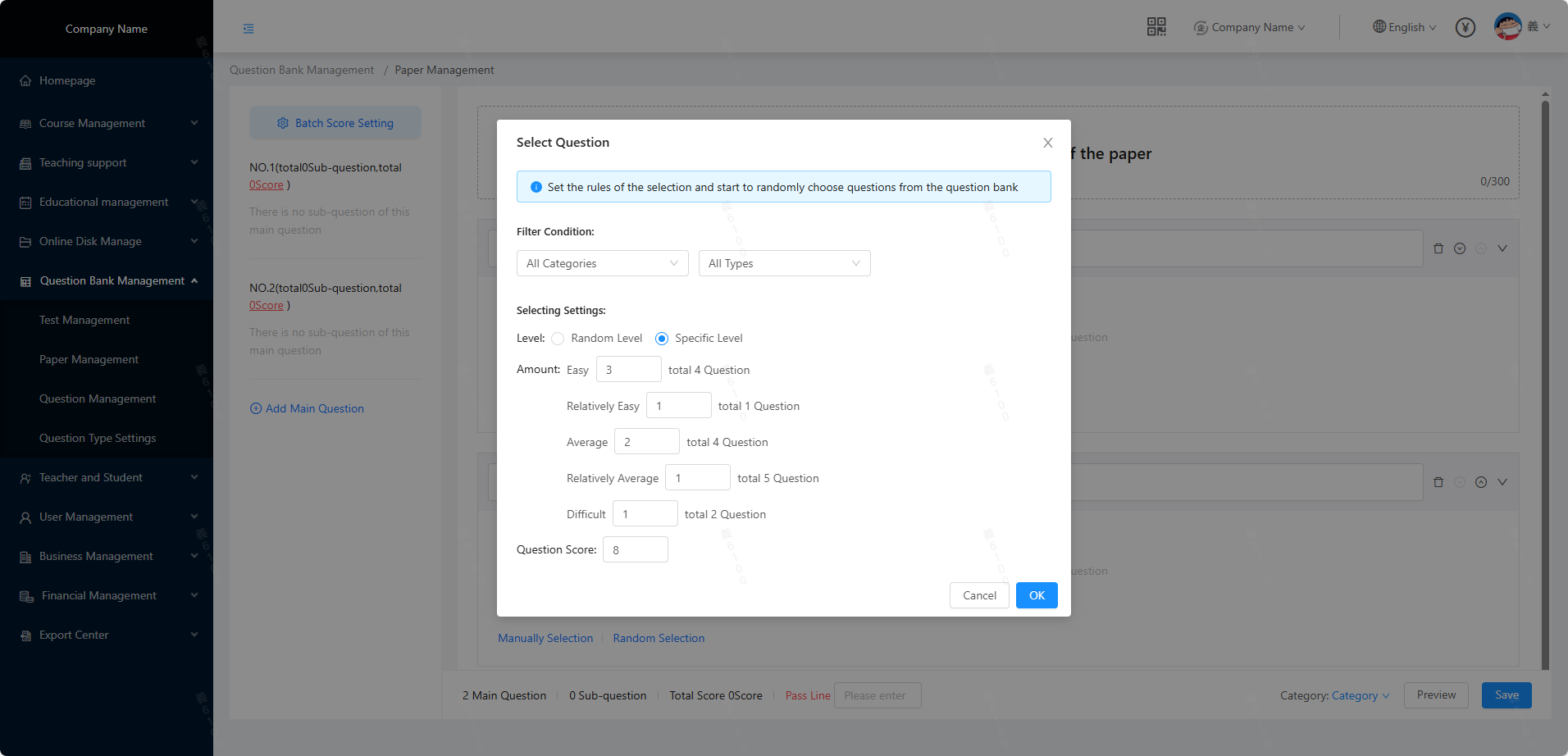
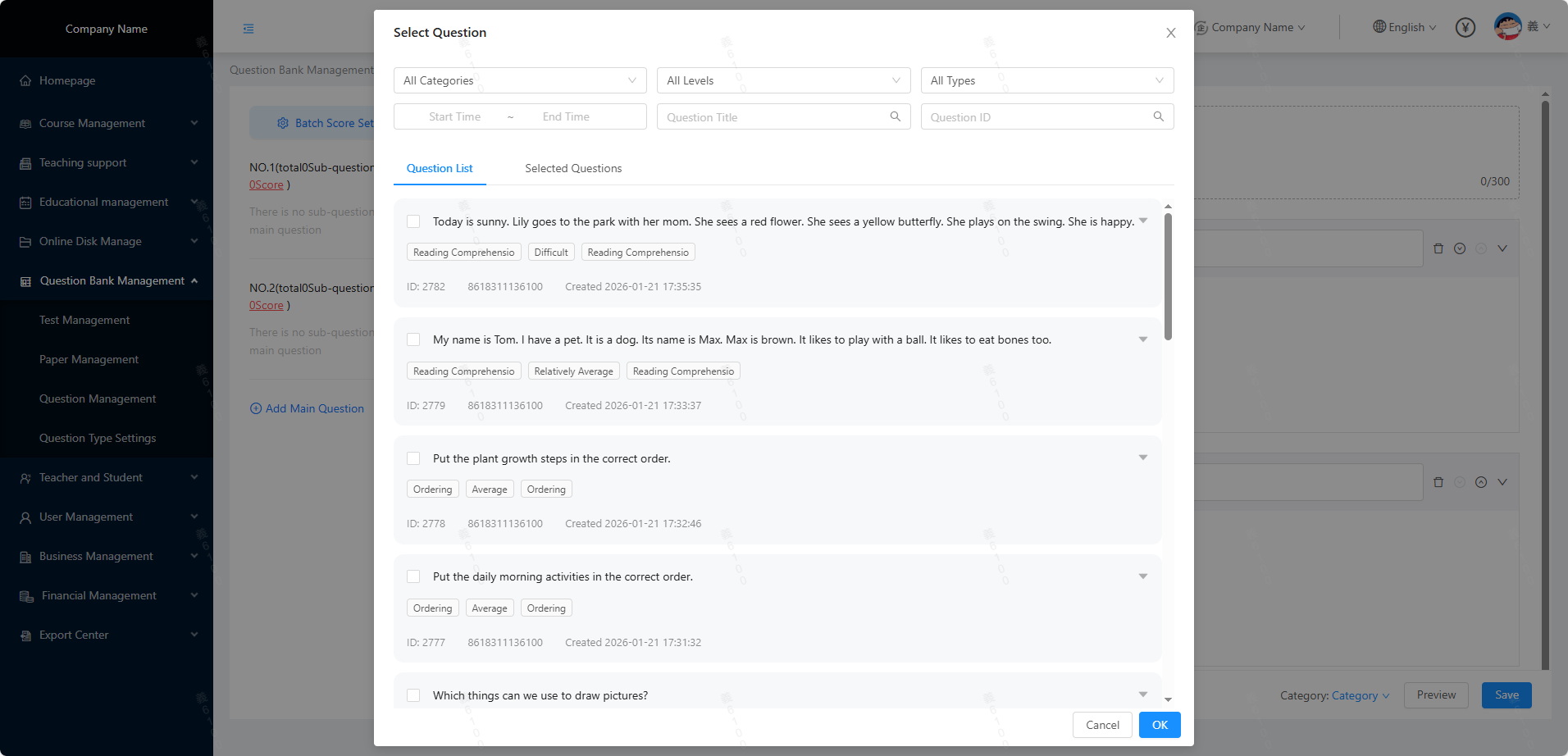 - fill them into the paper, as shown in the figure below: - Fixed question extraction: Taking the difficulty requirement as an example, set the question extraction rules, click Start question extraction, and "randomly extract" questions from the question bank to fill them into the paper, as shown in the figure below:
 2. After the test questions are added to the paper, the specific effect is as shown in the figure below:
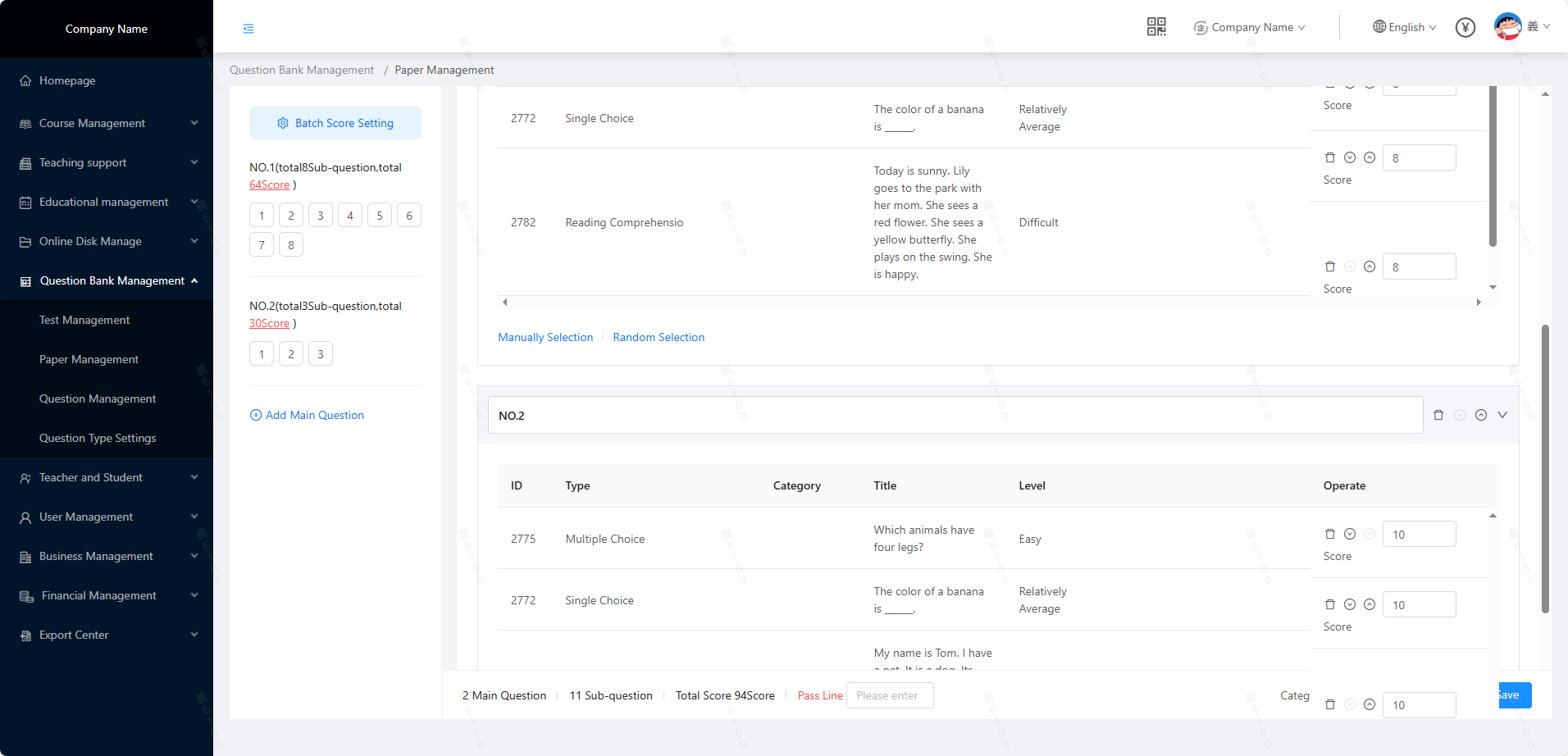
- Main questions,
support: remove, reorder, and fold - Sub-questions under the main questions, support: remove, reorder, and set scores
- Answer sheet: support batch setting of scores, click the serial number to quickly view the corresponding test questions
- The system will automatically convert the total score of all test questions and support manual entry of passing scores (after the student answers, it will be reflected in the test management)
- In-progress papers, support local preview, and view the current paper information from the student's perspective.





