Homework (Assignment)
Due to business differences, live classes have teachers, so the live class assignments are assigned by the teachers; on-demand course (video course) are taught directly by the institution to the students and there are no teachers, so the on-demand course (video course) assignments are pre-assigned by the institution administrator (assigned in advance, and automatically issued by the system when students meet the viewing completion conditions).
Homework (Assignment) - Live Class:
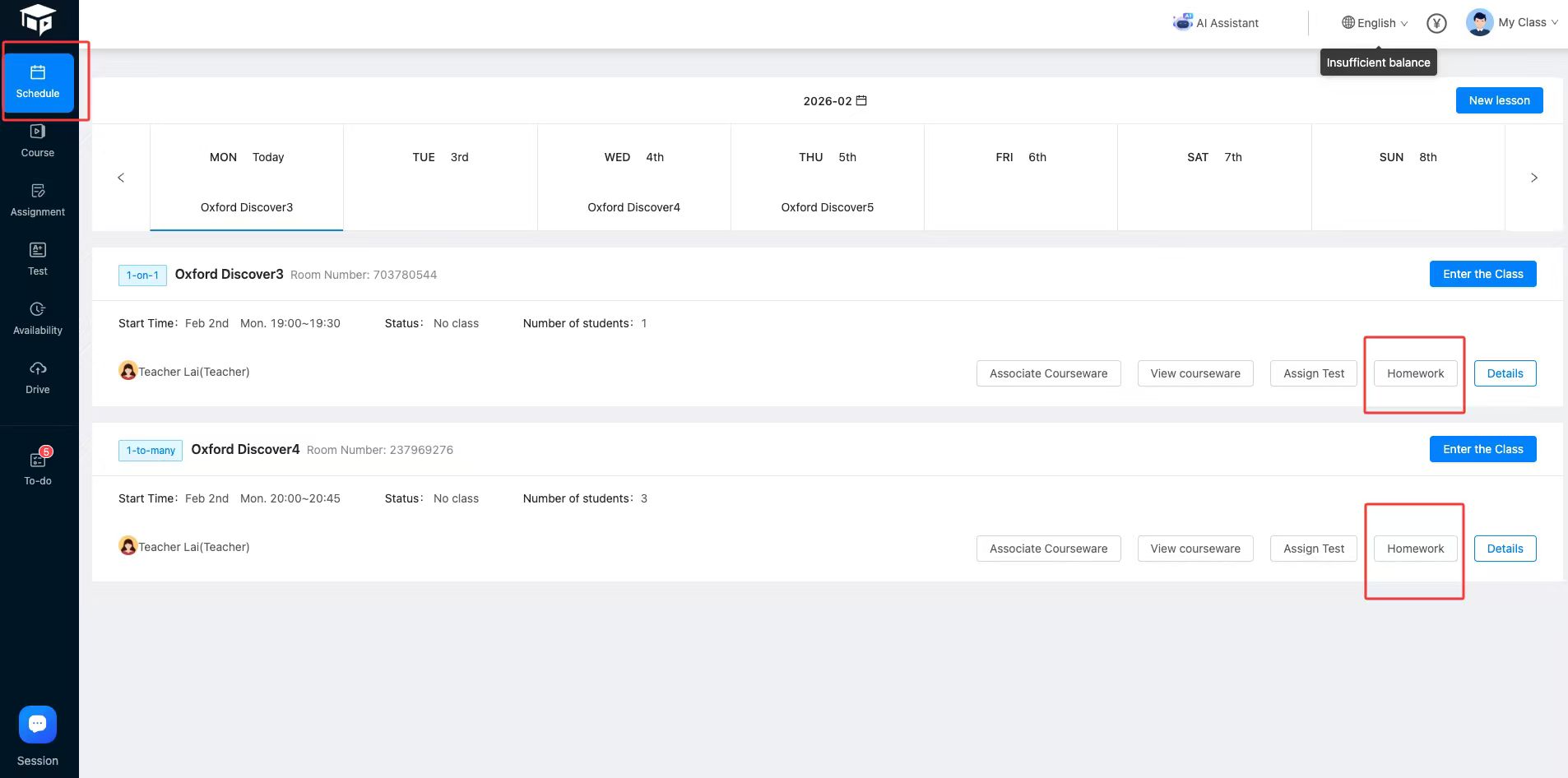
● Location: Teacher's side/Schedule/Target Lesson/Homework, as shown below:
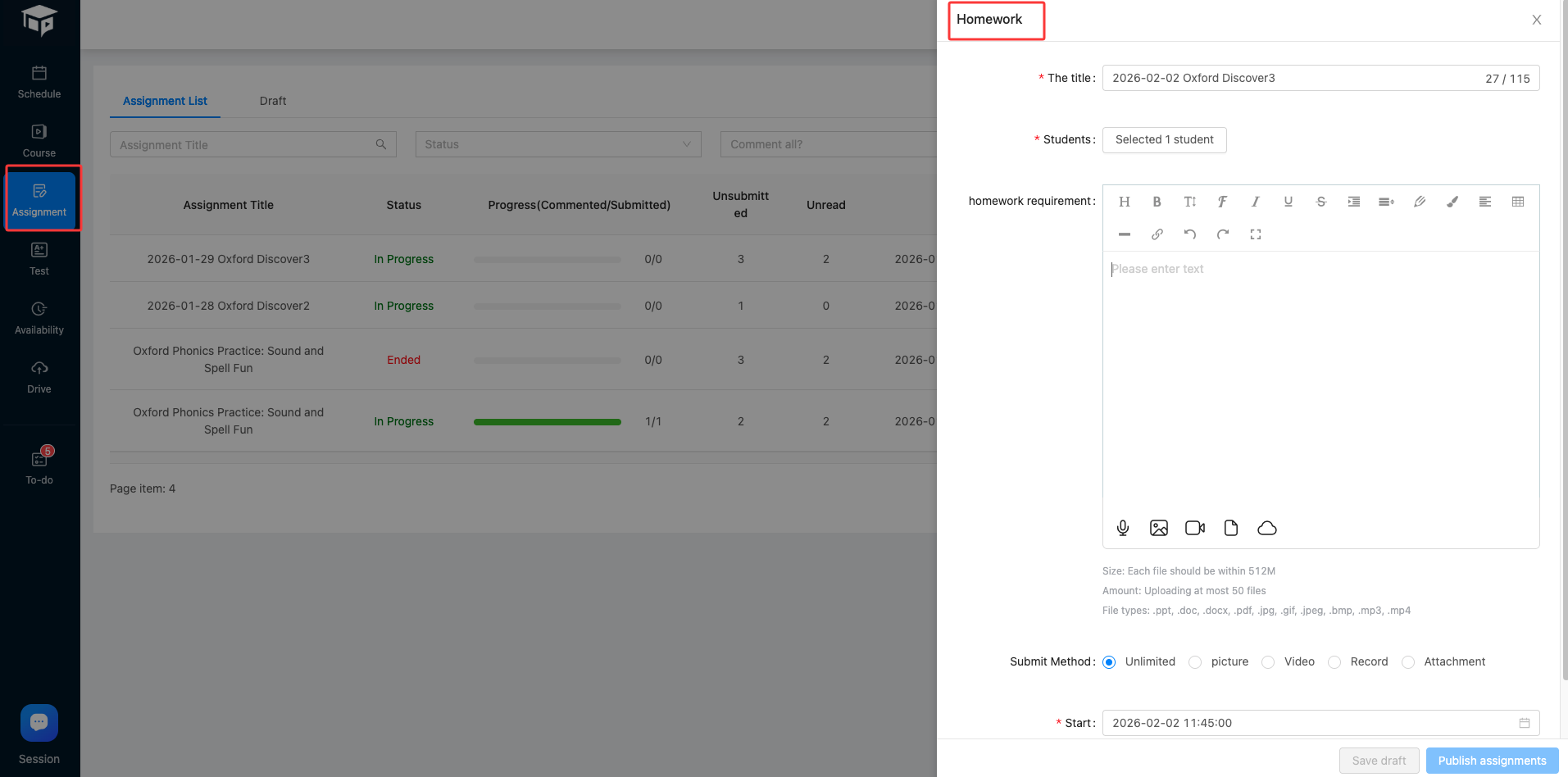
● Arrange the work panel:
Homework (Assignment) - On-demand courses (video courses):
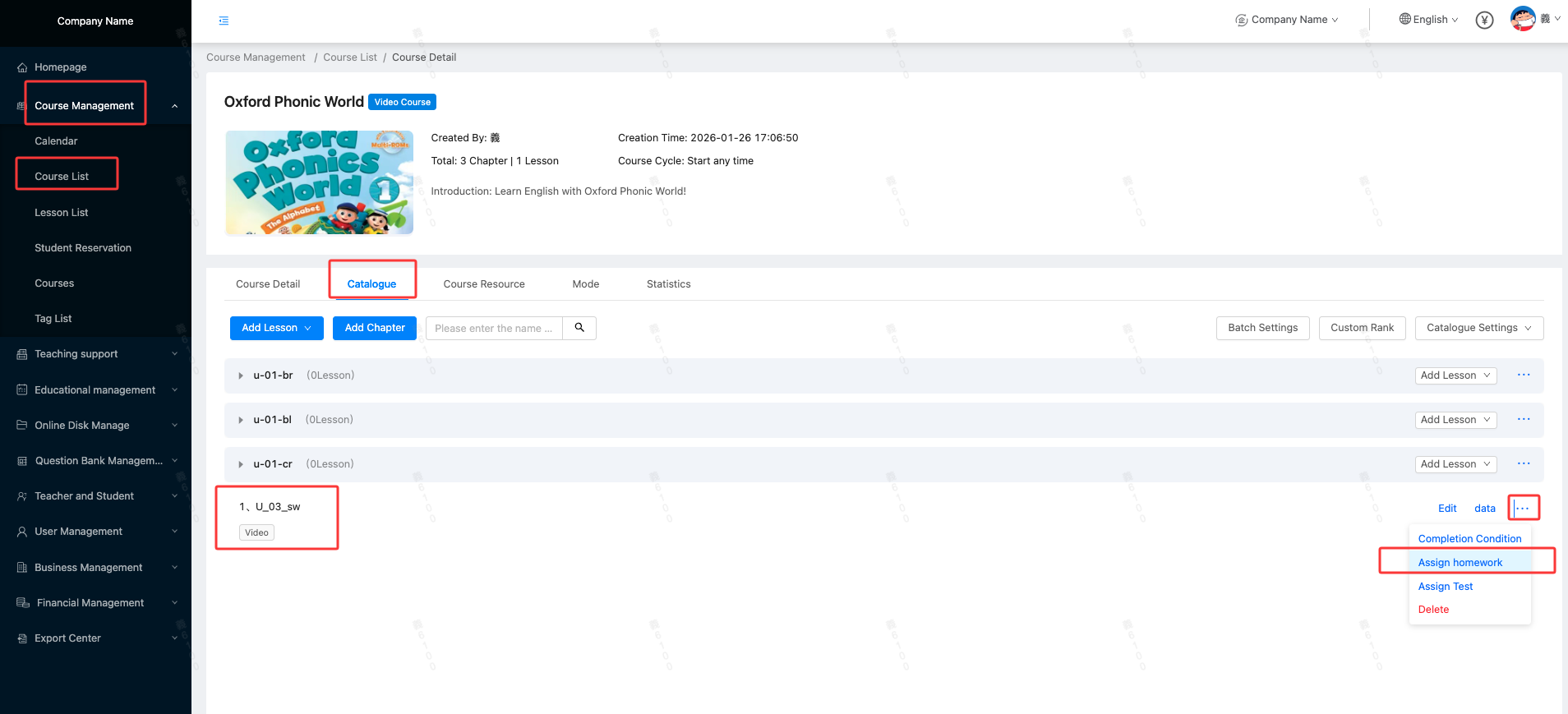
● Location: Admin/Course Management/Course List/Catalogue/Target Lesson/Assign Homework, as shown below:
● Arrange the work panel:
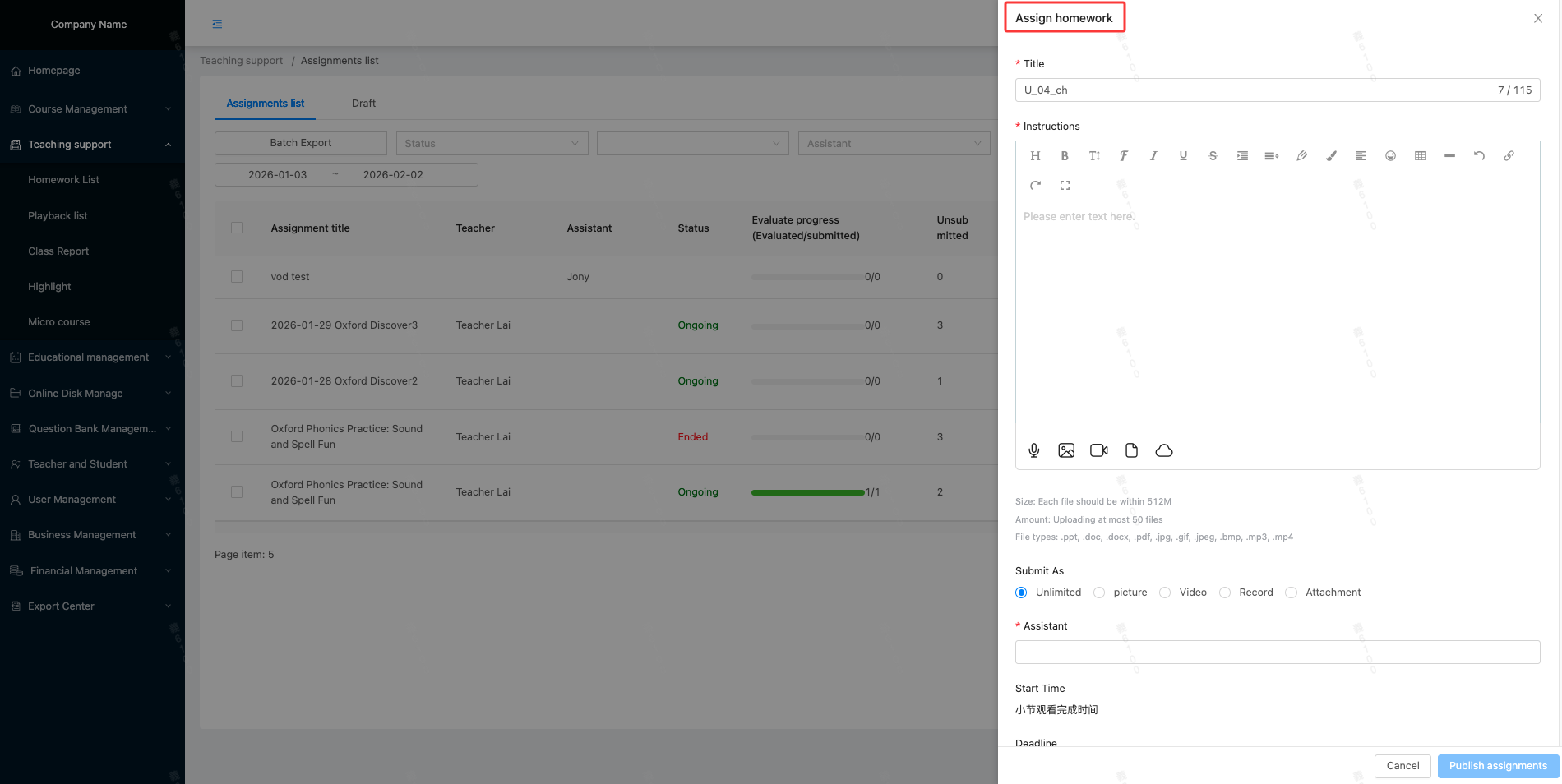
● You need to select a teaching assistant to facilitate homework screening in the background homework management office
● Assignments for on-demand classes are pre-assigned (arranged in advance, automatically assigned by the system once students meet the viewing completion requirements)
● Start time: The time when the student meets the viewing completion conditions for the corresponding video
● Deadline: Business Management/Enterprise Settings/Teaching Settings/Assignment Settings, default deadline days
Homework (Assignment) completed
- Supports checking students' reading and submission status (administrators can check it in homework management):
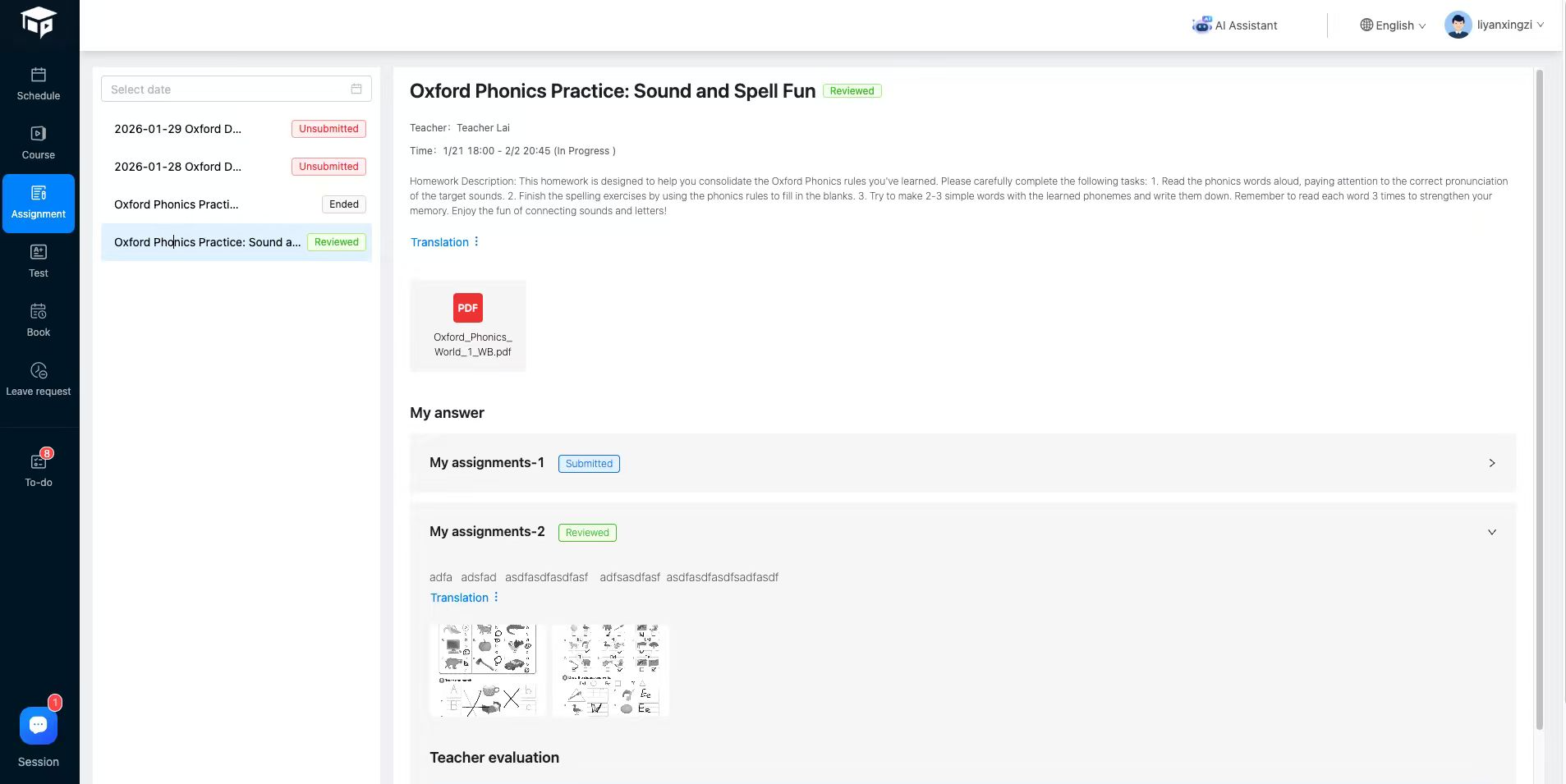 Click [Remind] to send homework notification to target students again
 - The Student Affairs Office responded:
● App message push
● Add homework information to the to-do list





