Teacher's homework comments
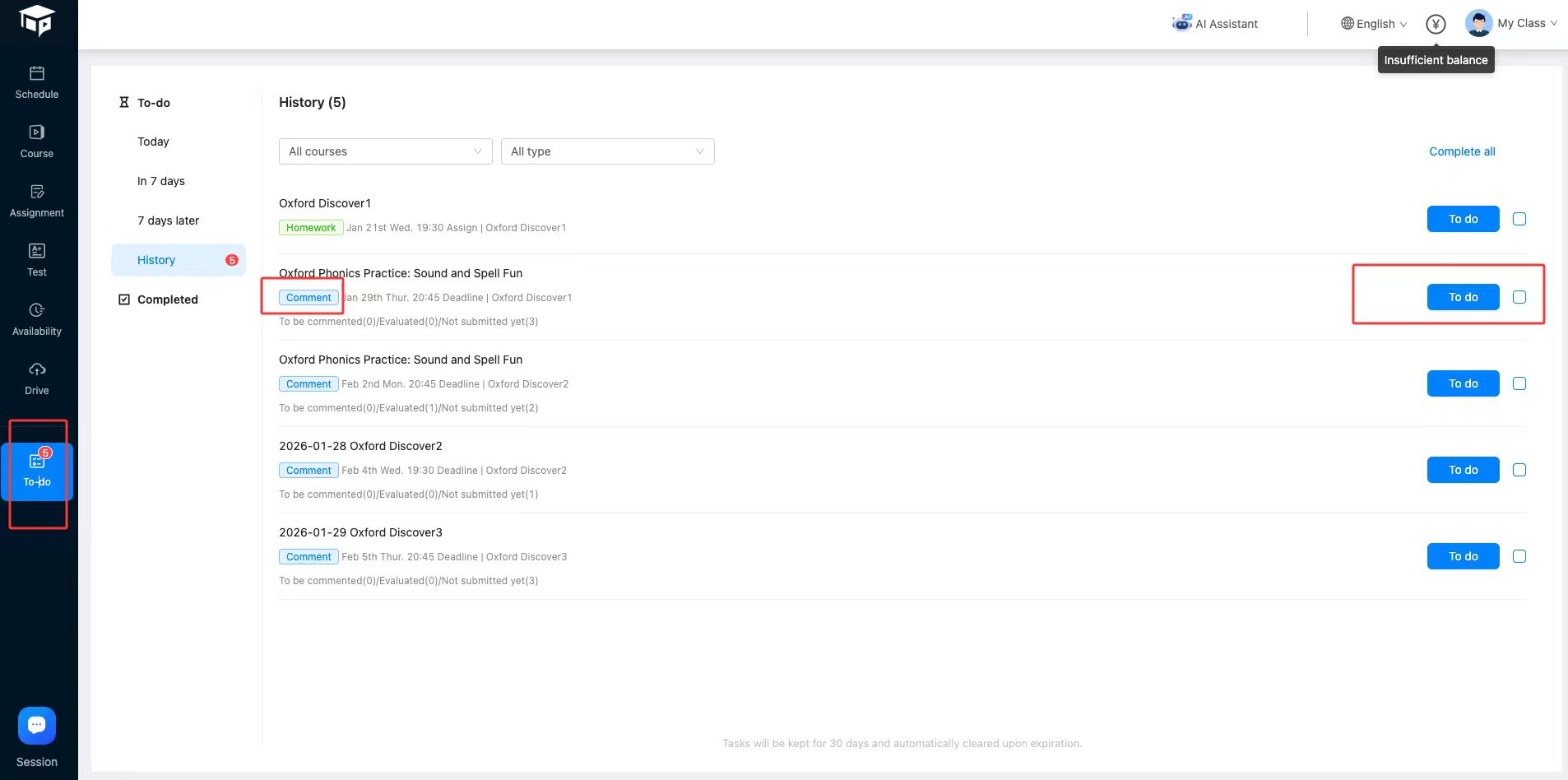
When students submit their homework, teachers will receive corresponding homework submission notifications. You can access this directly through the To-Do [Homework Review] menu.
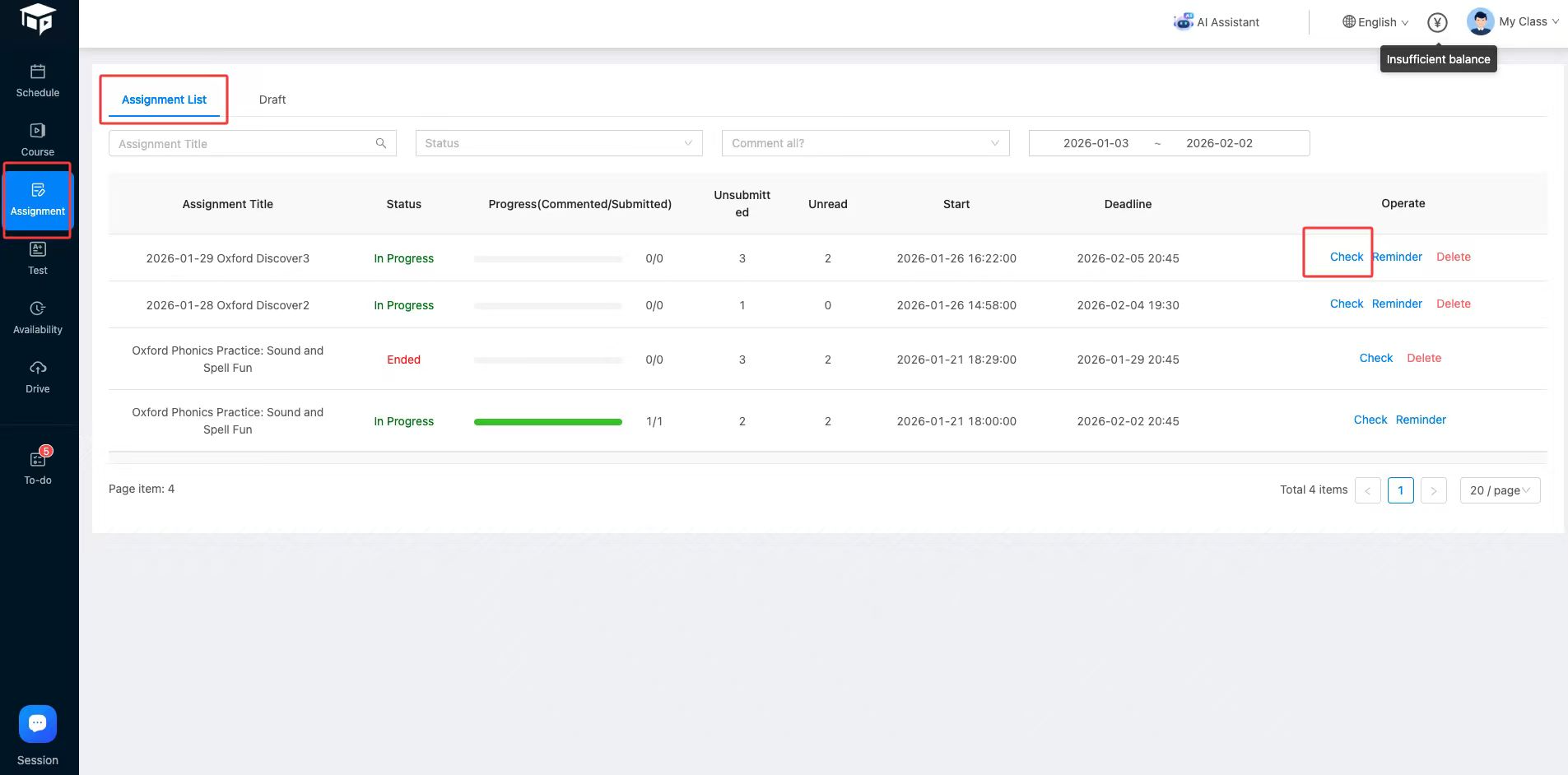
 You can also find the target homework in the homework list and click [Check] for check homework(Assignment).
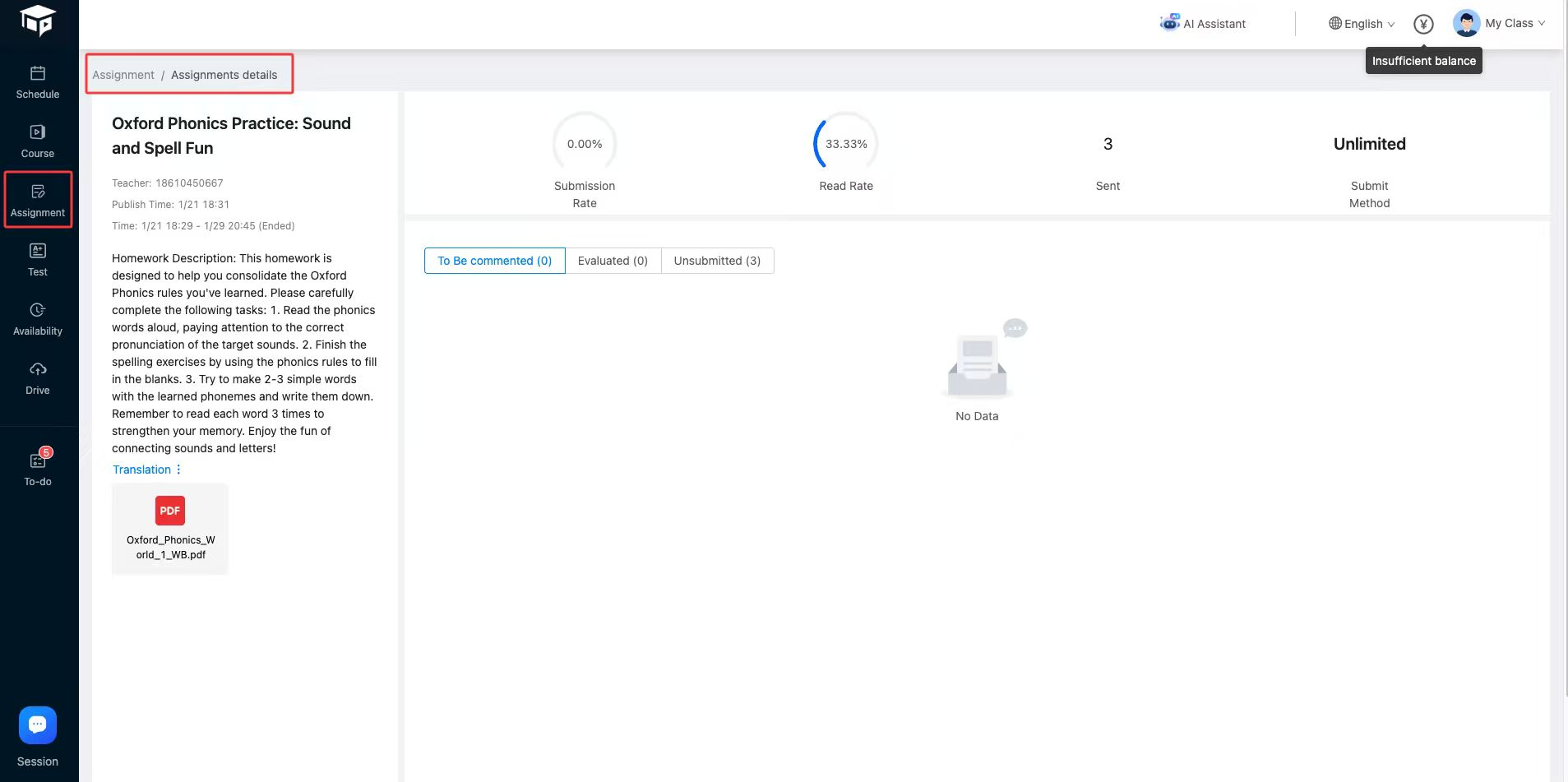
 The homework (Assignment) details are as follows:
 Click the target student's [Comment] button to review their homework:
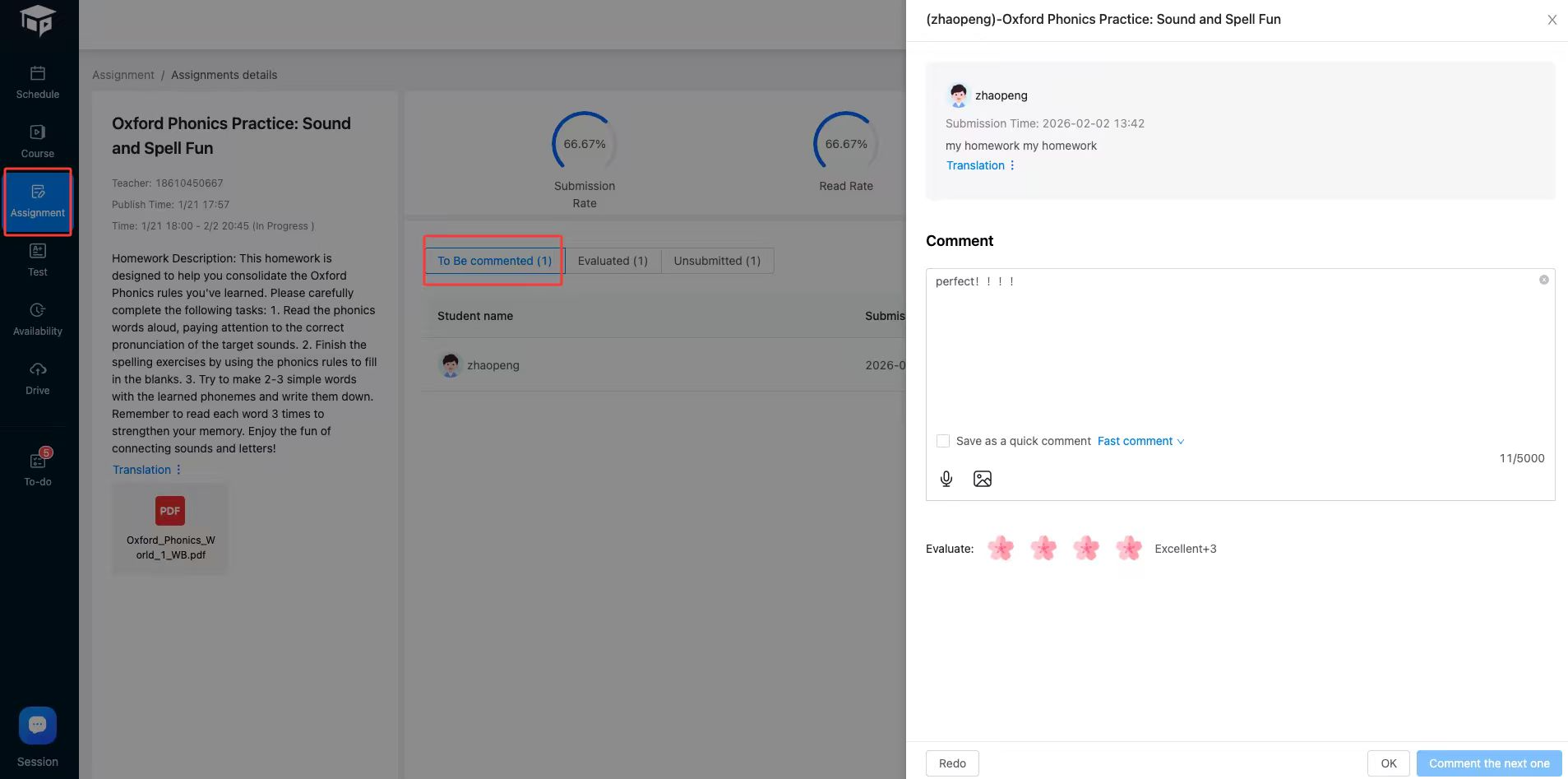 1. If the teacher is dissatisfied with the homework, they can return it for re-do.
2. If the review is successful, the student will receive a notification.
1. If the teacher is dissatisfied with the homework, they can return it for re-do.
2. If the review is successful, the student will receive a notification.





